Troubleshooting
OCEASOFT LoRaWAN Receiver User Guide Page 35
I forgot my receiver’s IP address or username/password and cannot connect to
the administrator interface. Is there a way to restore factory settings?
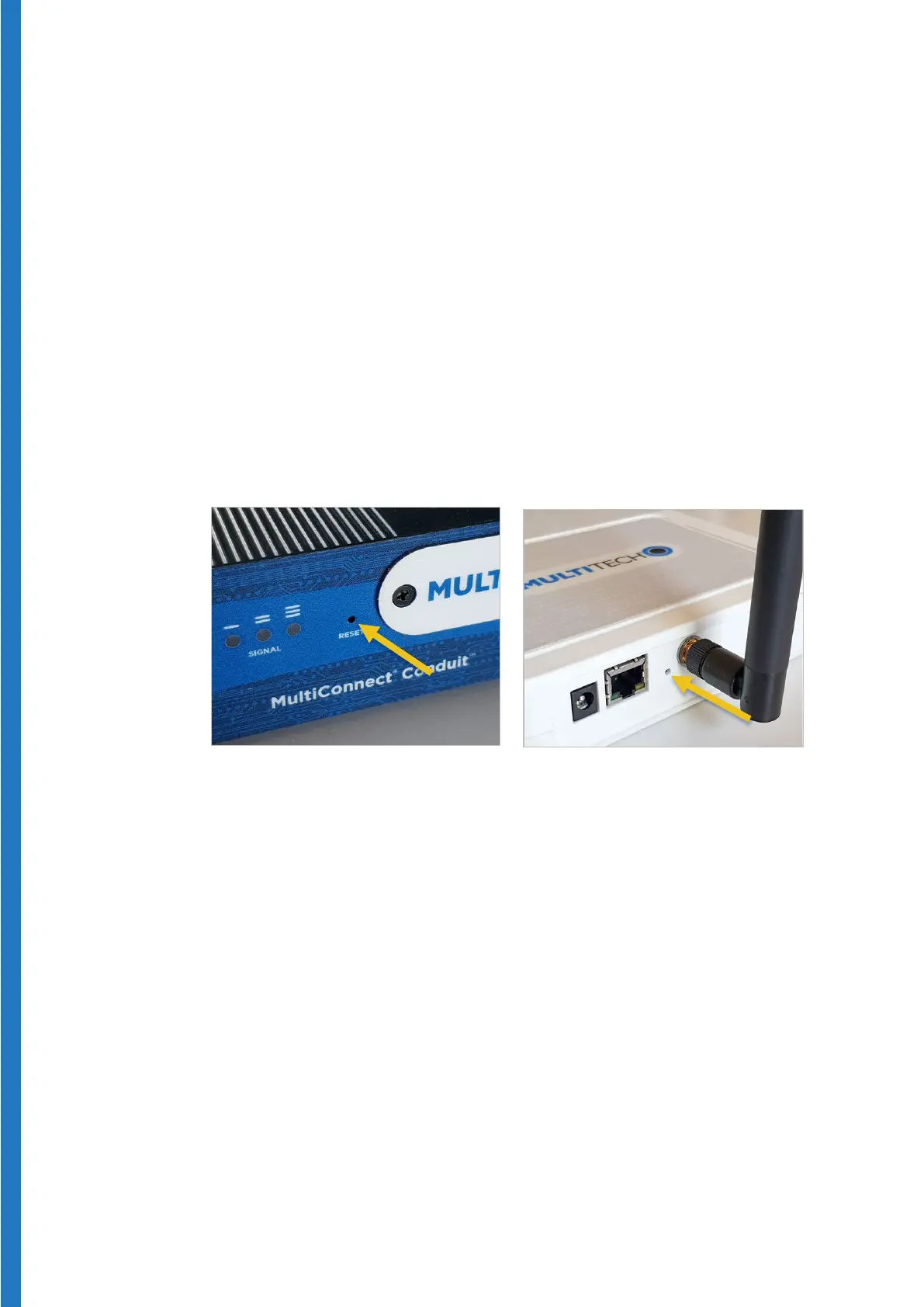
The OCEASOFT LoRaWAN gateways both have a reset button that can be
pressed to restore factory settings. For example, you may choose to do this if
you have forgotten the IP address you entered in network configuration, or if
you forgot the username/password and can no longer connect to the
administration interface.
To perform a factory reset:
1. Insert a blunt tool (such as a paper clip) to press and hold the button
recessed inside the “Reset” hole.
2. Continue holding the button for over 30 seconds, at which point the LEDs
light up again.
3. Release the button and wait while the gateway reboots.
4. You may then connect to the gateway using the default settings (and default
IP address).
Figure 31 – Restoring LoRaWAN gateway factory settings


 To Next Page