Setting up your receiver
OCEASOFT LoRaWAN Receiver User Guide Page 13
Plug in the power cable
Advanced model
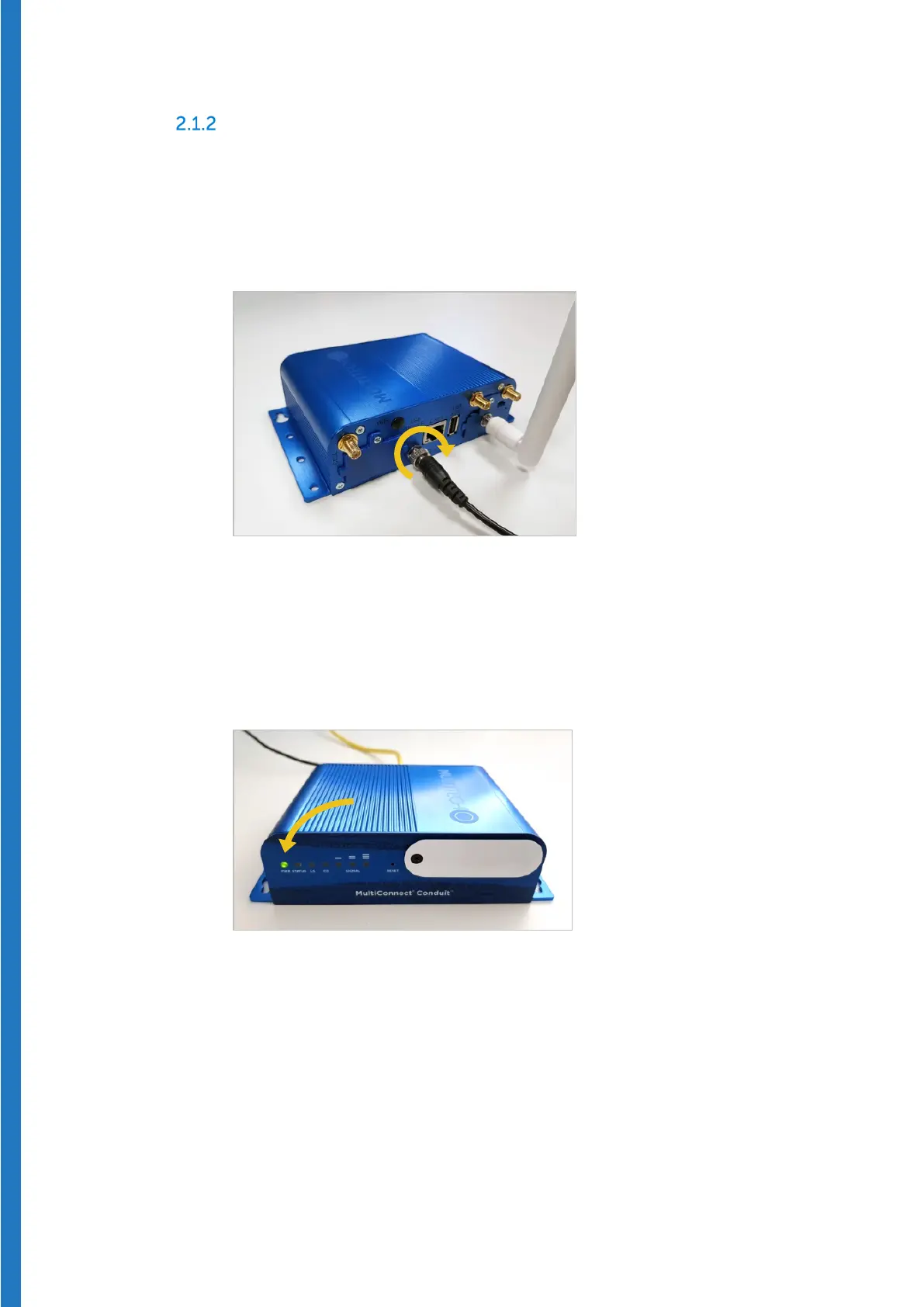
1. Plug the power cable on the stainless-steel connector on the back of the
receiver. The cable only fits correctly onto one of the connectors.
2. Hand-tighten the cable by rotating the steel ring clockwise to attach it
firmly to the unit.
Figure 6 – Plug in the power cable to the stainless-steel connector
3. Plug the AC adapter into a power socket to boot the receiver. The startup
process may take up to 5 minutes to complete. When the unit is ready for
use, the left-hand LED remains lit as shown here (the Status LED may
continue to blink):
Figure 7 – Power indicator remains on when receiver is ready to use


 To Next Page