Setting up your receiver
OCEASOFT LoRaWAN Receiver User Guide Page 27
2.5 Cellular data connection (optional)
This section describes how to configure your compatible receiver with a cellular
data connection.
Inserting SIM card in Advanced model
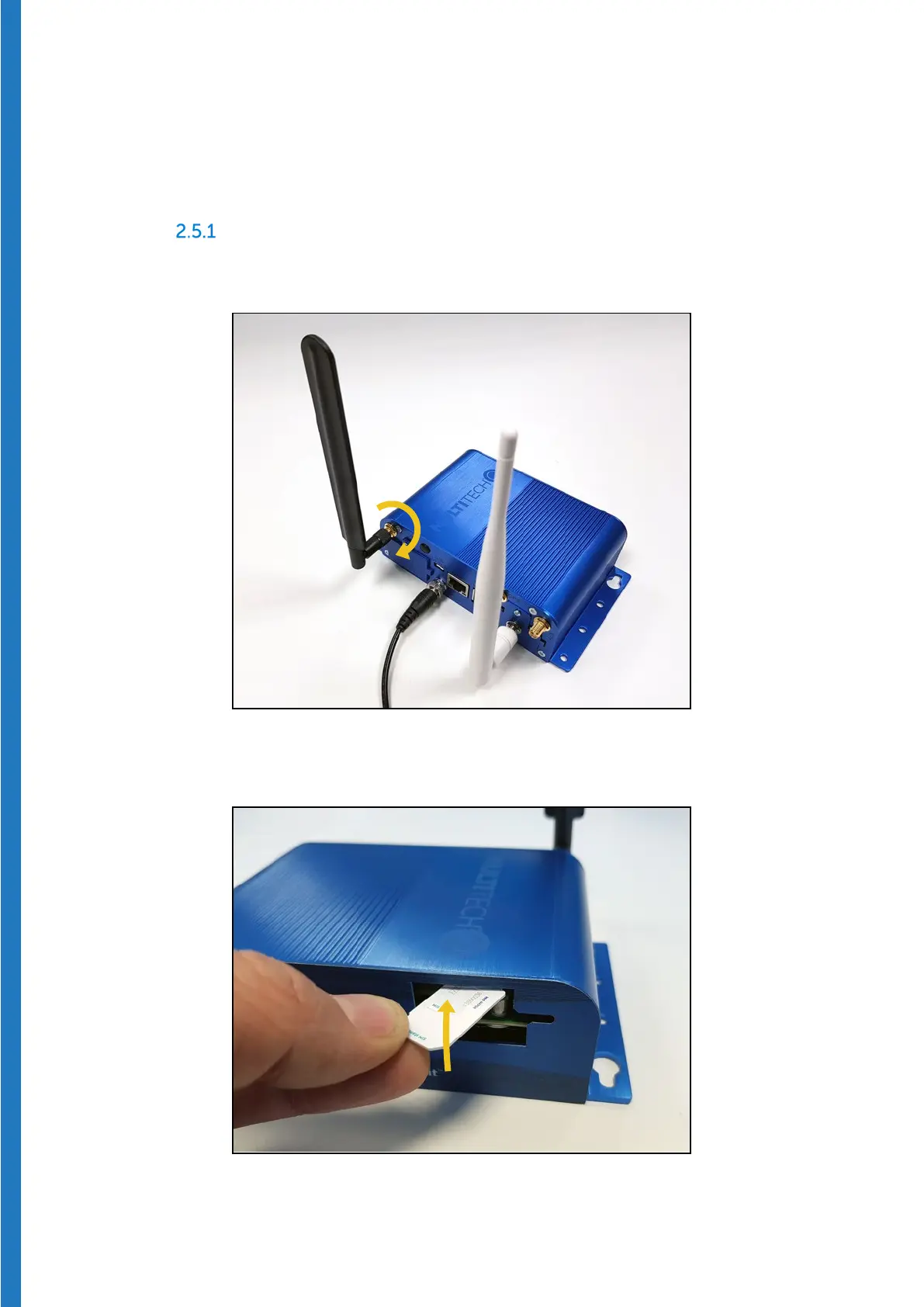
1. Plug the provided cellular antenna on the cellular radio connector (marked
“
Cell”) and rotate the ring clockwise to fasten the antenna securely:
Figure 24 – Fasten the cellular radio antenna (on left)
2. Remove the front cover plate and insert your SIM card in the slot:
Figure 25 – Insert SIM card completely into slot


 To Next Page