Setting up your receiver
OCEASOFT LoRaWAN Receiver User Guide Page 18
2.2 Configure the regional frequency
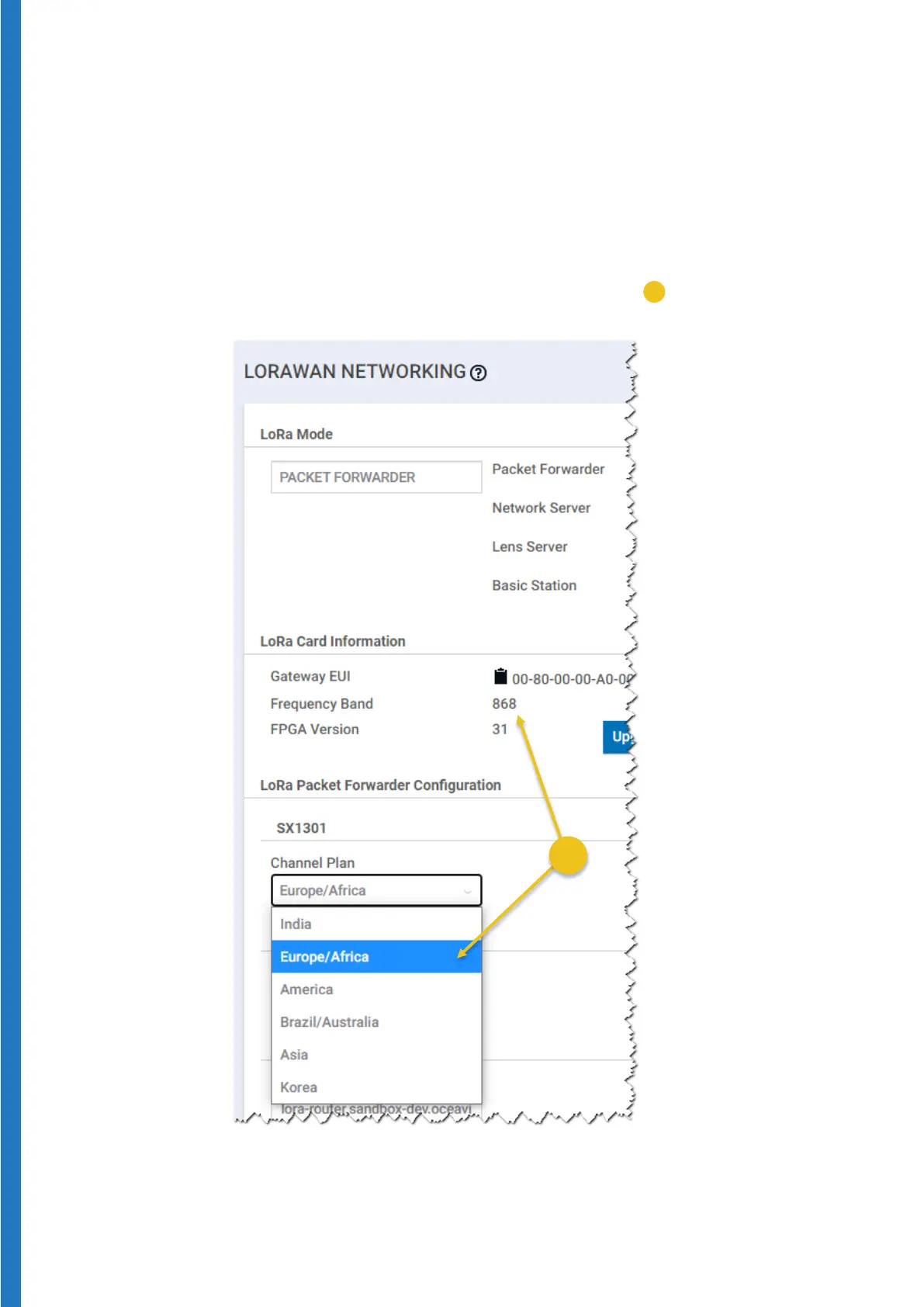
Start by selecting your geographical region, which automatically assigns the
correct wireless frequency for communications:
1. Login to the gateway as described in the previous section.
2. Select
LoRaWAN
®
Network settings
3. Click on the
Channel Plan drop down menu (
) and select the
appropriate region.
Figure 14 – Choose the Channel Plan option that matches the Frequency
Band value for your region


 To Next Page