Setting up your receiver
OCEASOFT LoRaWAN Receiver User Guide Page 28
Inserting SIM card in Pro model
1. The cellular antenna is integrated inside the receiver casing, so you do not
need to connect an external antenna.
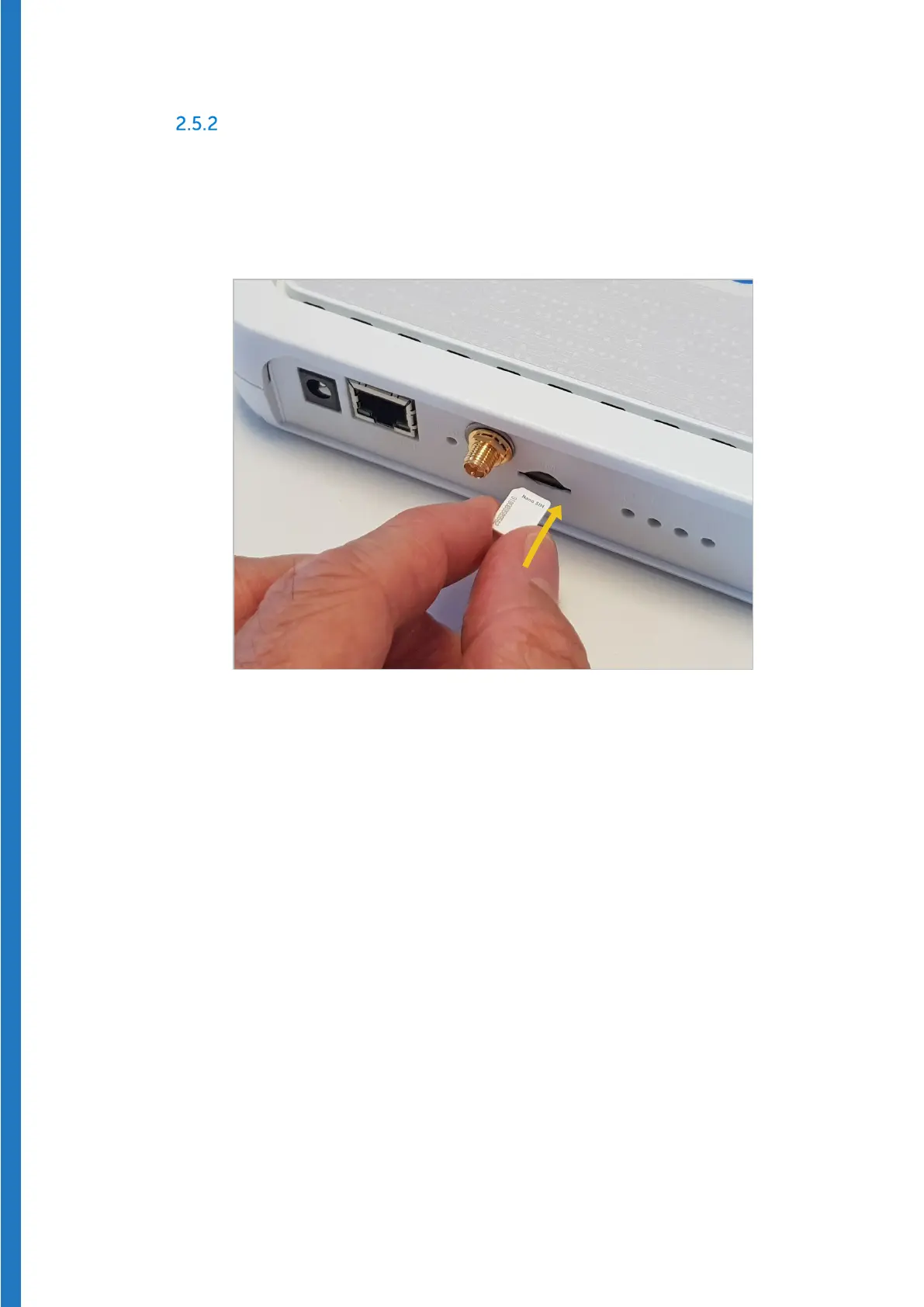
2. Insert the SIM card completely into the slot on the back of the receiver as
shown below. The slot is “keyed”, so the SIM card can only be inserted with
the cut corner on the left-hand side, facing forward.
Figure 26 – Insert SIM card completely into slot


 To Next Page