Setting up your receiver
OCEASOFT LoRaWAN Receiver User Guide Page 19
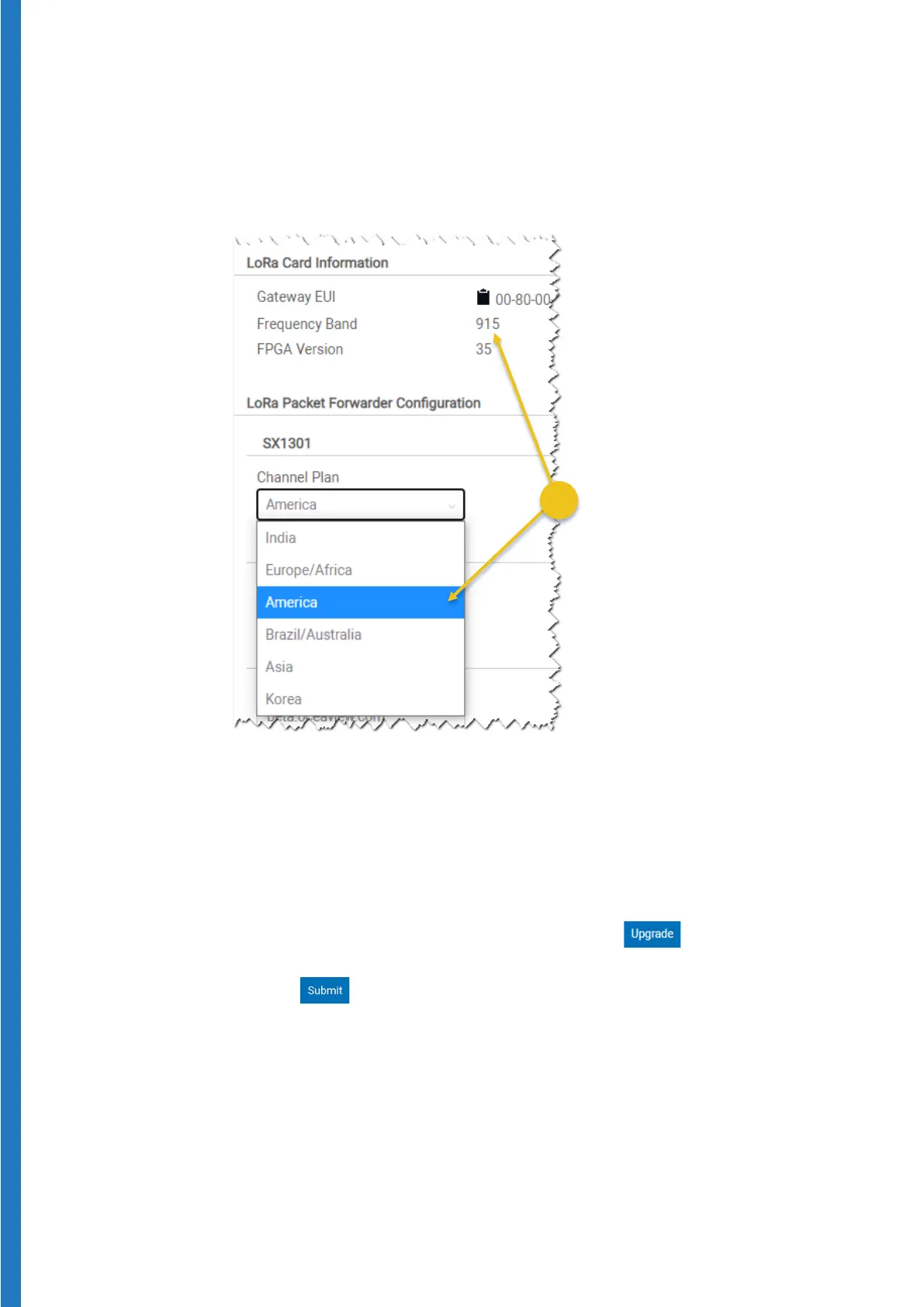
On this screen you only need to ensure that the Channel Plan value
corresponds to your gateway hardware and geographical region. You may
leave all other fields with their default values.
Here is an example for a 915 MHz LoRaWAN radio:
Figure 15 – Example of a Channel Plan using 915 MHz
Note:
o
FPGA version 31 or higher: Europe/Africa, India, America
o
FPGA Version 35 or higher: Asia, Brazil/Australia, Korea
If you want to use your receiver in one of these regions, and the
FGPA version is not 35 or higher, click on and then follow
the instructions.
4. Click on
when done.


 To Next Page