Setting up your receiver
OCEASOFT LoRaWAN Receiver User Guide Page 16
3. Use your web browser to connect to the receiver’s default IP address:
http://192.168.2.1
We recommend that you use the Google
browser. Internet Explorer is not supported.
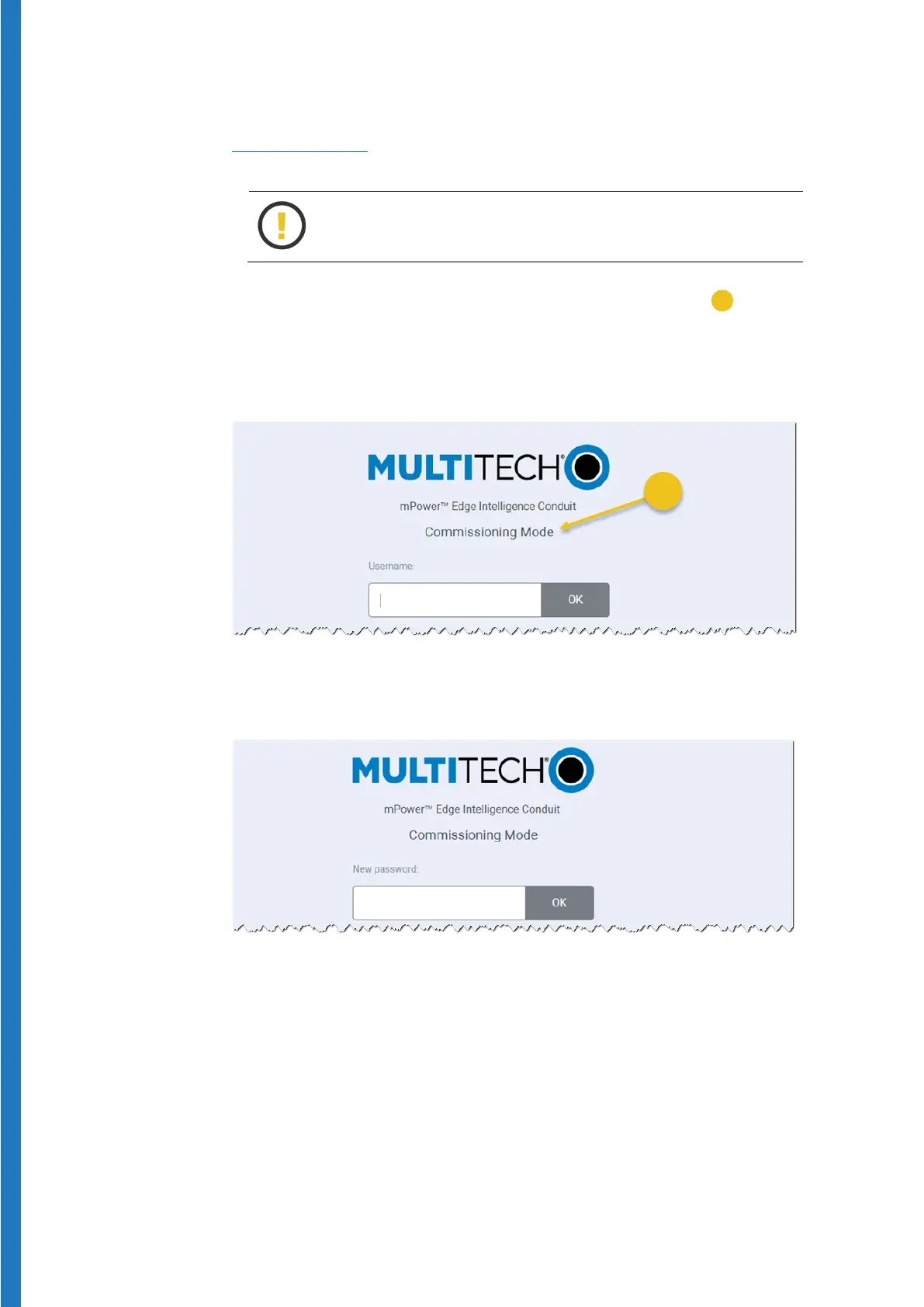
Upon first boot, the gateway is in “Commissioning mode” (
) and you
will be prompted to create a new username and password. There is no
default username or password.
4. Enter the default
Username and press OK.
Figure 11 – Assign Username in Commissioning Mode
5. Enter a
Password for that user and press OK:
Figure 12 – Assign a password for the Username
6. You may then login using the information you just entered.


 To Next Page