EN
37
ODYS PRIME
12 Android Smart TV Operation
Please follow the first installation wizard instructions first.
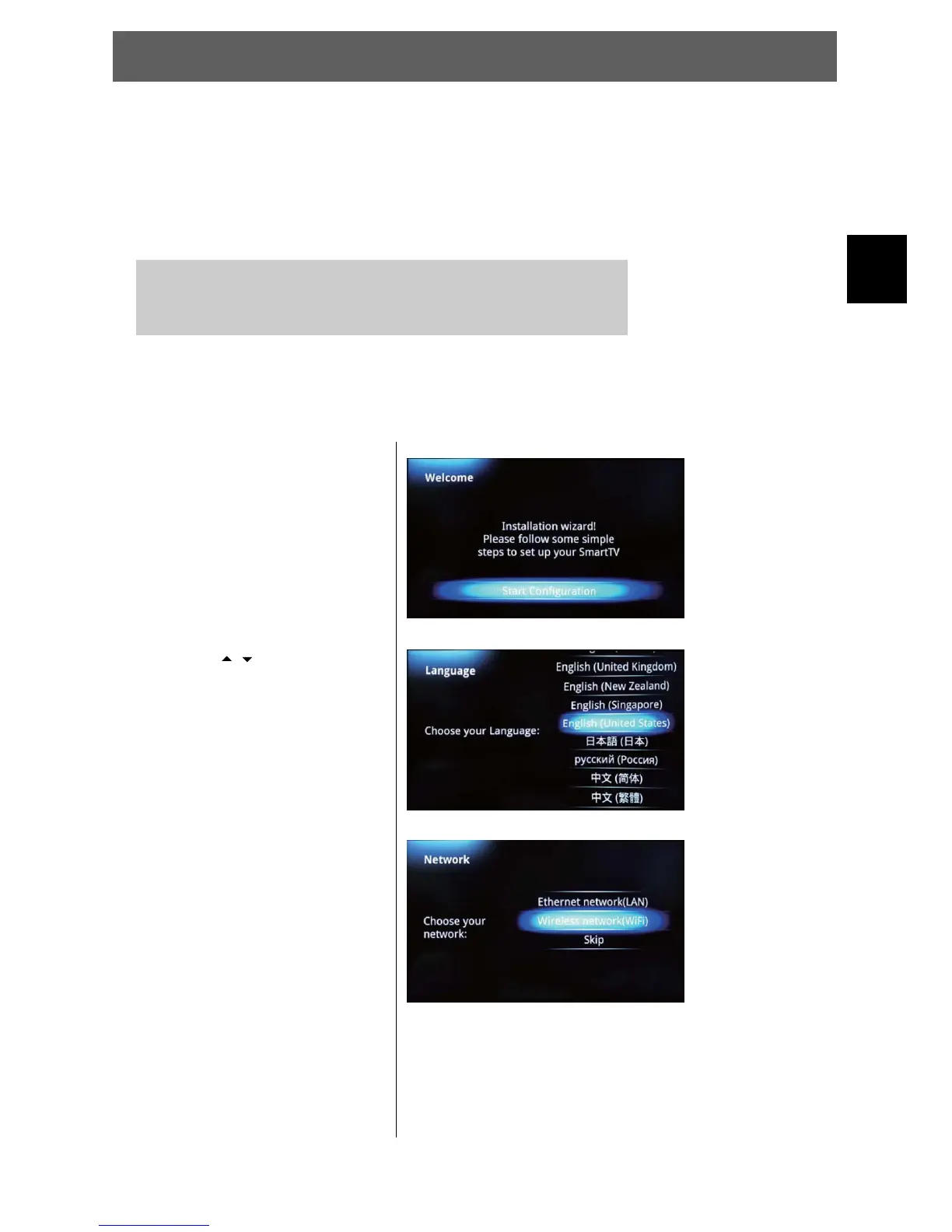
12.1 First Installation wizzard
At the first time you are using the Smart TV part of this device a first installation wizzard will be
shown and will guide you the the most important settings.
1 Press the SOURCE key.
2 Select SMART TV from the SOURCE list and press OK to confirm.
Note: Depending on the previous state it may take a while to start up the
android system. Meanwhile you will see the “No Signal” hint.
1 Press OK to start the
configuration
2Usethe/ keys to select the
desired language.
Press OK to confirm.
3 Select the network connection.
Press OK to confirm.
If you are using a wireless
network you need to select the
correct access point now and
enter the correct password.
Please refer to the chapter
about the system settings.



 To Next Page