Service Manual RU OHAUS
Page 37 / 53 11/01/2010 Ohaus
• Power off and take out the power cable from electrical outlet.
• Take away platter.
• Screw out bolts from up spider (C1) and screw out sealing bolts (D1).
• Take apart the main PCB cover in bottom (F1), also take apart the cover of scale as
screw out the bolts in the bottom of scale.
• Put the wireless kit (A1) to the position (G1).
• Install the bolts to it (H1).
• Take out the seal from hole (I1).
• Put the Ethernet harness through the hole (J1).
• Connect the Ethernet harness to the Ethernet port (K) and fix the harness as picture
(L1).
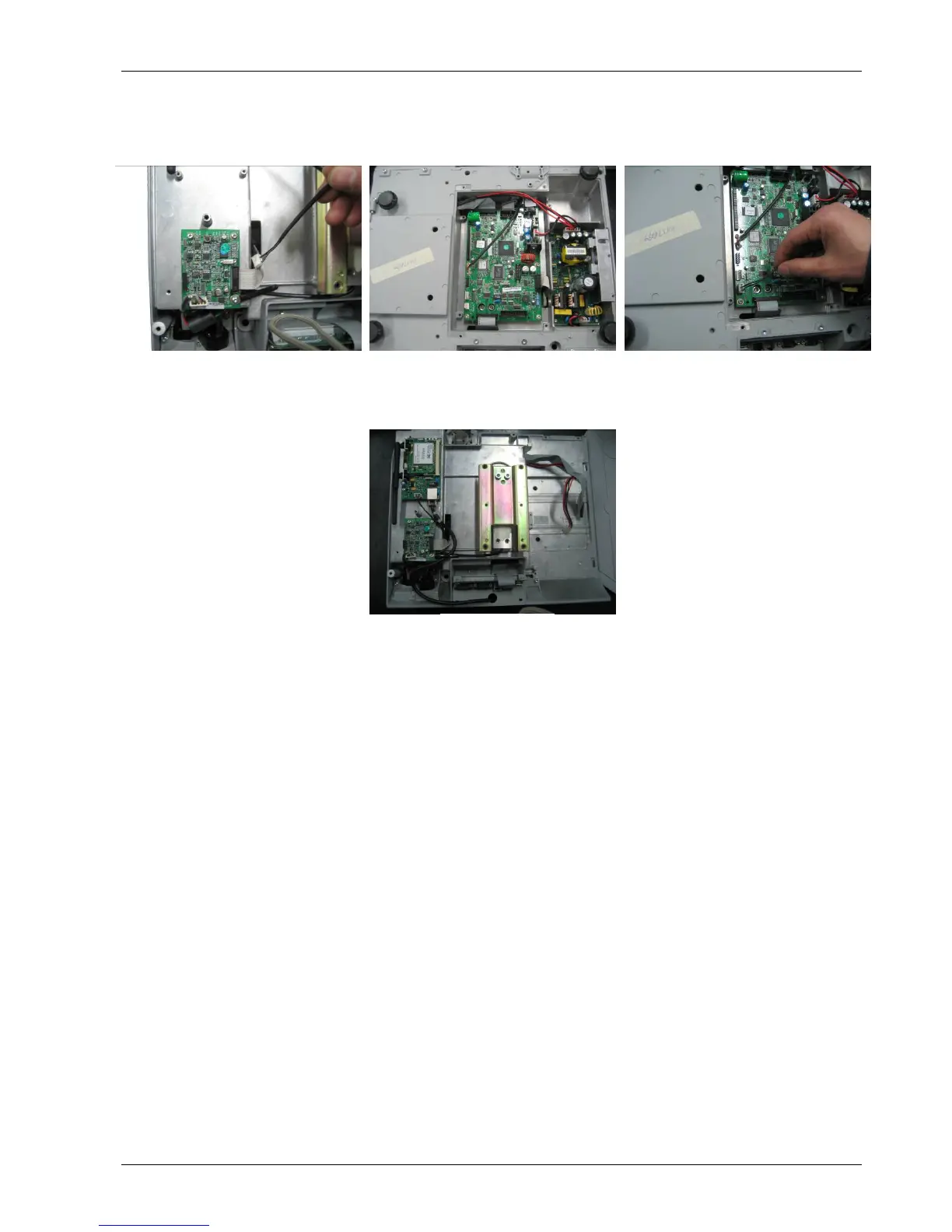
• Put the wireless card power harness through the hole (M1).
• Connect the wireless card power harness to the main PCB (O1).
• Then to install the scale cover, the up spider, the main PCB cover in bottom, seal
switch bolts etc.
(M1) (N1) (O1)
(P1)






 To Next Page