Service Manual RU OHAUS
Page 40 / 53 11/01/2010 Ohaus
21. RU License
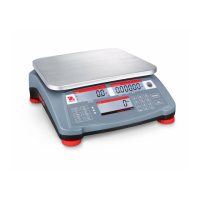
The license menu of your RU scale will give you the options available that can be
unlocked by a license code. By choosing the license combination wanted you will
receive a license number that can be requested in bPlus to unlock the respective
functionalities in bPlus.
1. [Code]; [306]; [*] to enter the license menu
2. [Networking]; [yes]; [no]; [*]
3. [Label]; [yes]; [no]; [*]
4. [Cash]; [yes];[no]; [*]
5. Automatic printout with the requested licenses and the PID. Enter the PID and
the serial number of the product in bPlus. Go to http://partner.mt.com/ or contact
your service support team.
6. [LID]; [yes] enter the LID you received from our system; [] and the requested
functionality is unlocked at once.
ATTENTION:
Please keep the LID of your product in a save place. The LID will be sent to you in a
confirmation e-mail when you requested your license in bPlus. Alternatively the LID
can be printed out at any time on your scale in menu [306] once it was entered.
In case the LID gets lost due to a software Update and/or a Reset Configuration Ohaus
can not be hold reliable.






 To Next Page