PRINT
Unit
ON/ZERO
Off
1
PRINT
Unit
1
PRINT
Unit
1
1
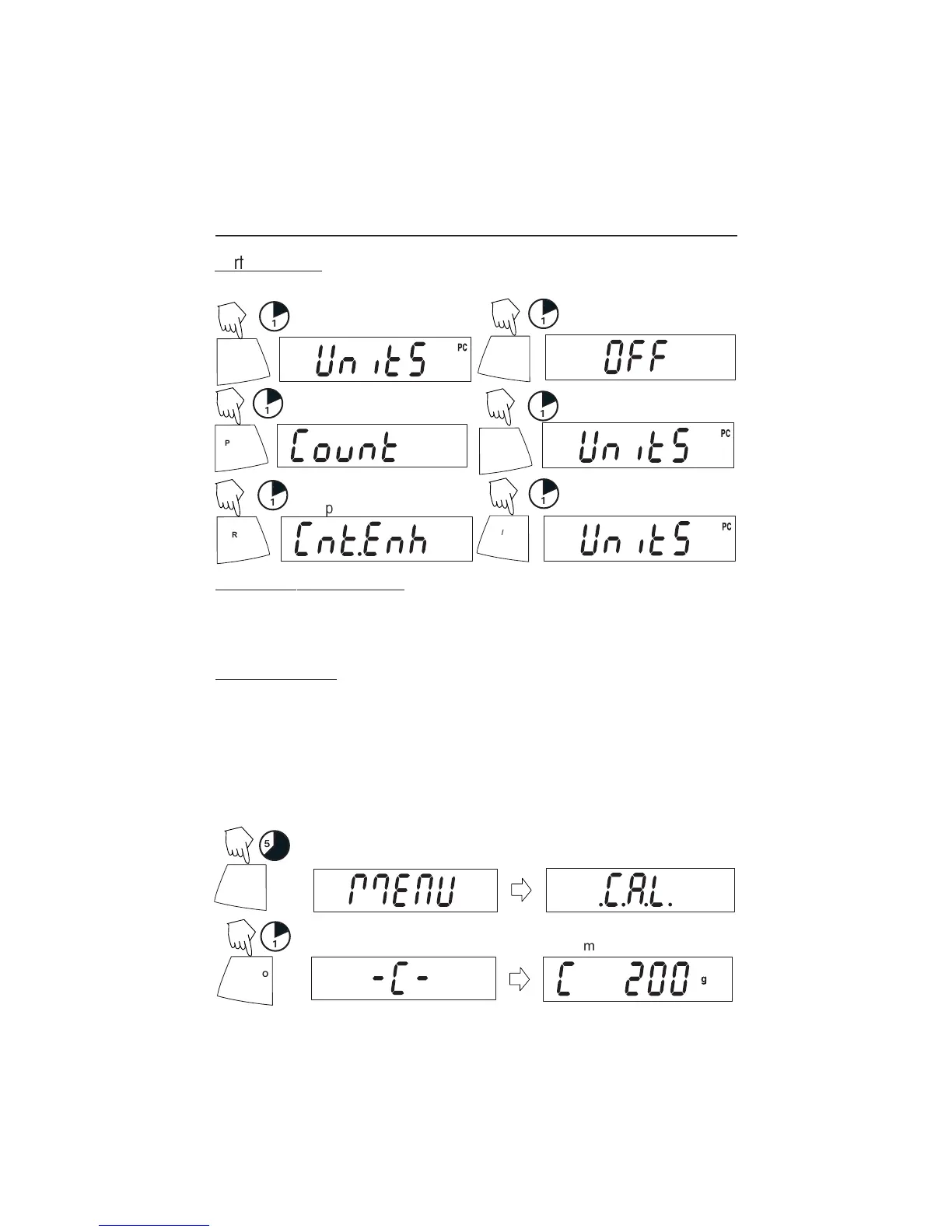
Parts Counting
Two types of counting modes are available, standard or enhanced.
PRINT
Unit
1
OR
ON/ZERO
Off
1
(See page 17 for details)
Exiting the .U.N.I.T. Menu
Use the same procedure as Exiting the .S.E.T.U.P. Menu.
Calibration
Span Calibration
Span calibration uses two calibration points, zero and a specified calibration weight.
Before beginning calibration, make sure the Lock Switch is off. Clear the platform.
NOTE:
Value of calibration mass depends on capacity of balance
. After calibration, the
balance returns to the currently selected weigh mode.
Start with the balance OFF.
5
ON/ZERO
Off
1
(Place mass value on platform)
(Acquiring zero value)
(Release button)
ON/ZERO
Off
• • •
(Example)
Y
Y
Y
N
N
N
N




 To Next Page