EN-18 SCOUT
PRO
Parts Counting (Cont.)
Percent Weighing
Percent Weighing is
enabled only
when Percent is turned ON in the .U.N.I.T. menu.
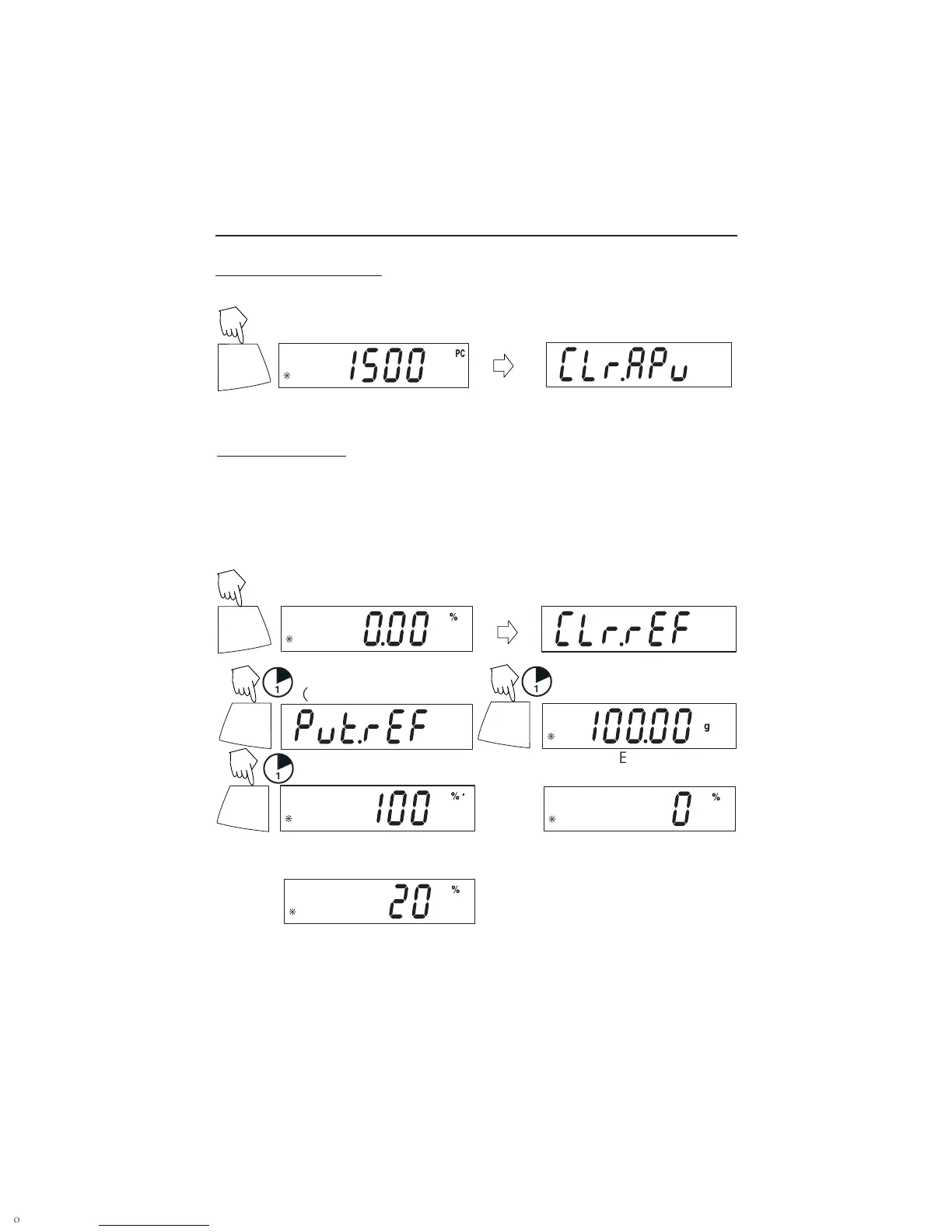
Percent weighing permits placing a reference weight on the balance, then viewing
other loads as a percentage of the reference. The reference weight equals100%. Start
in the weighing mode and zero the display.
(Press and hold until % is displayed)
PRINT
Unit
ON/ZERO
Off
1
(Place reference weight)
(Stores reference weight 100g)
ON/ZERO
Off
1
(Example)
PRINT
Unit
To count different parts, press and hold, until PC reappears, release Unit button.
(Remove reference weight)
(Place load on the platform, display indicates percentage of reference weight.)
Y
Y
ON/ZERO
Off
1
Y




 To Next Page