23
Trooper Scale
Procedure
TURNING CALIBRATION LOCK SWITCH ON
To turn the software lock on:
Press and hold the G/N/T/
MENU
button until MENU ap-
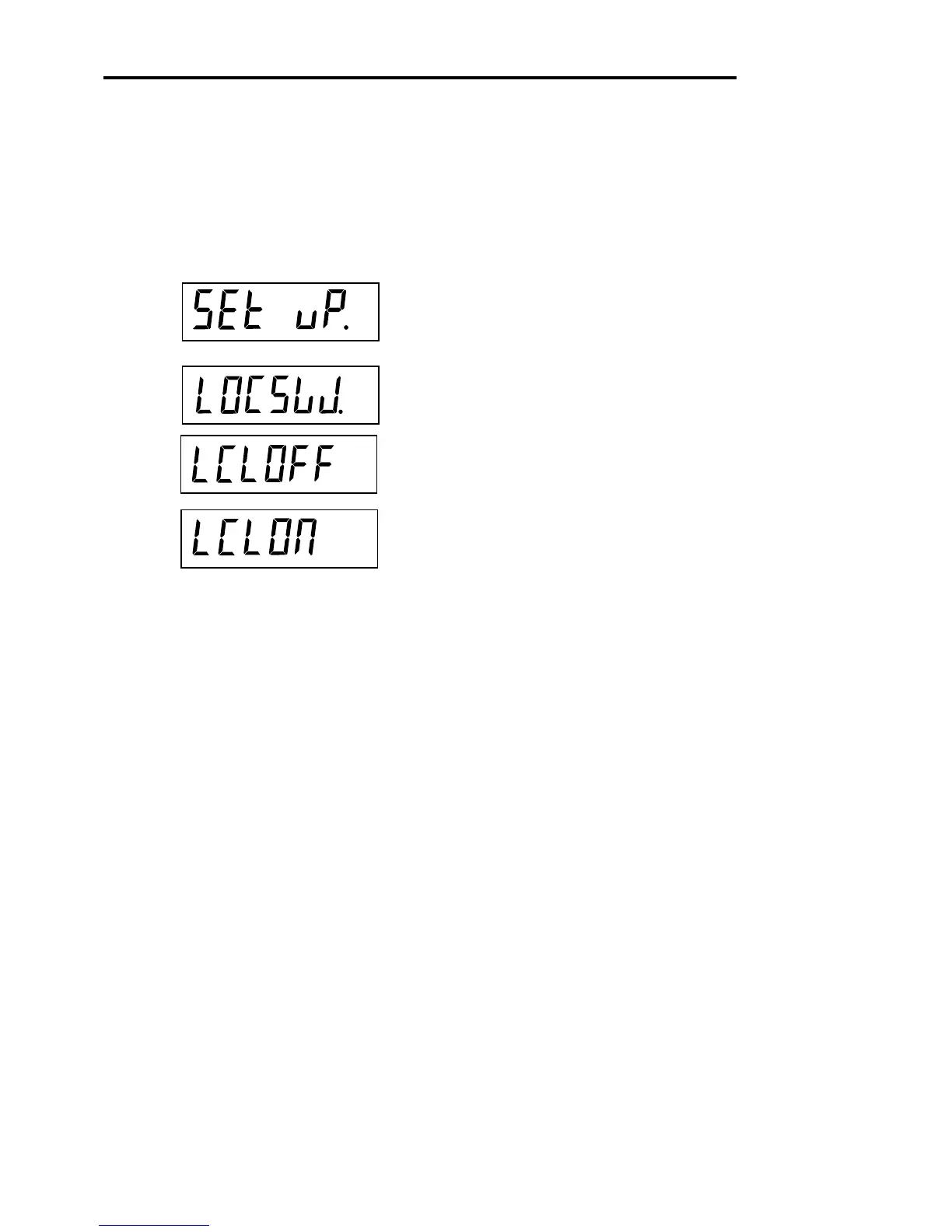
pears. Release it and SETuP appears. (if already in the
main menu, skip to the next step).
Repeatedly press the PRINT/
UNITS
button until LOCSW
is displayed.
Repeatedly press the G/N/T/
MENU
button until LCL OFF
is displayed.
Press the PRINT/
UNITS
button to scroll through the
choices until LCLON appears.
Press the G/N/T/
MENU
button repeatedly until the scale
returns to weighing
The scale is now ready for weighing.
5. CALIBRATION AND SEALING (Cont.)








 To Next Page