22
Trooper Scale
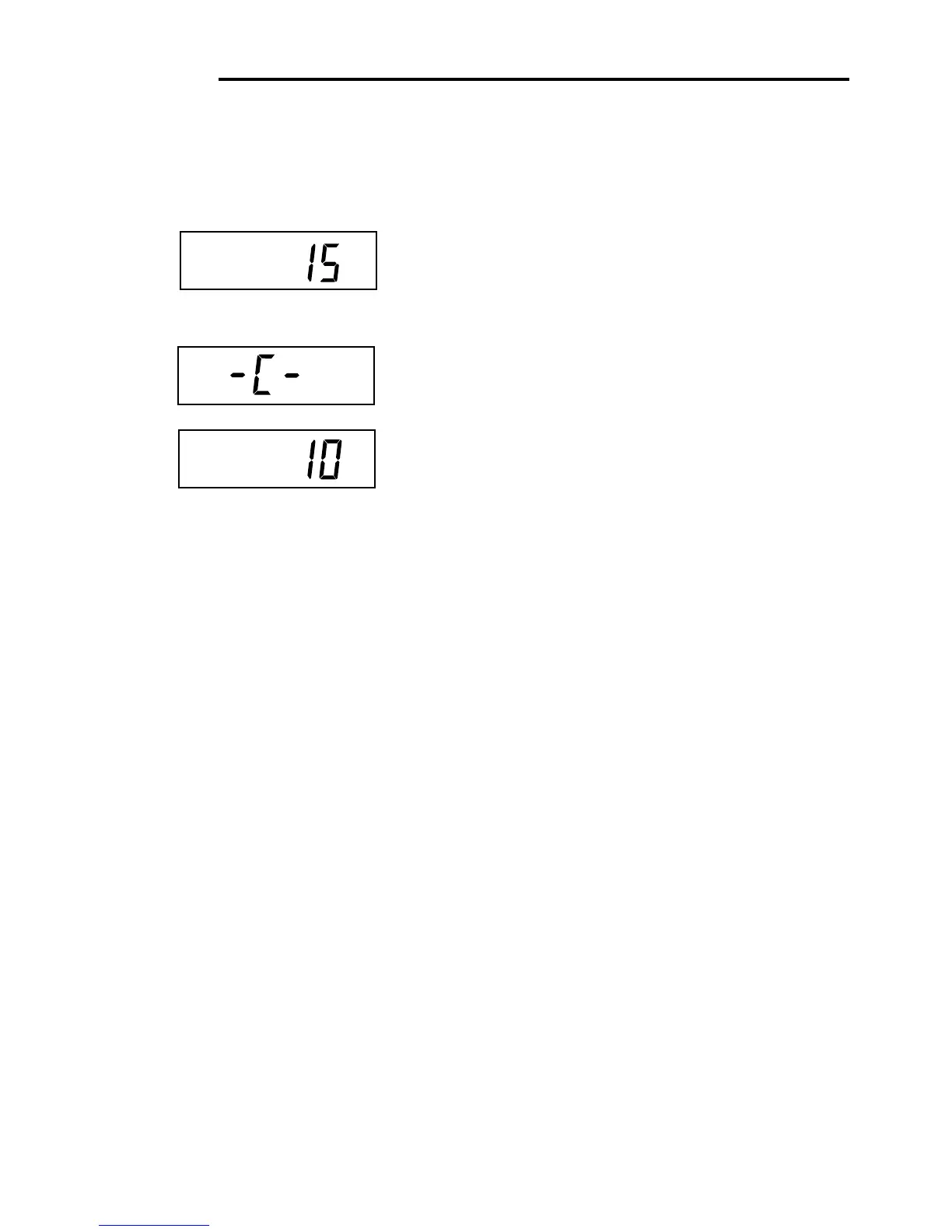
Place the indicated mass on the platform. Keep the plat-
form stable during this period. The sample illustration
indicates a 15kg scale.
If at this point you are uncertain of the process or if the
correct weights are not available, the calibration routine
can be aborted by pressing the PRINT/
UNITS
button, or
by turning the scale off by pressing and holding the ON/
ZERO/
OFF
button.
Press G/N/T/
MENU
button, -C- is displayed while the
Scale stores the reading and then displays the weight of
the mass.
If the calibration was successful, the calibration mass is
displayed and the calibration data is saved automati-
cally. If unsuccessful, refer to the troubleshooting sec-
tion.
Remove calibration masses from platform.
After the calibration routine is complete, check the scale
again to see if the scale has been accurately calibrated.
If so return to the lockout menu and restore the calibra-
tion software lock to “ON”:
Gross
Brutto
NOTE: If the Scale is to be used for legal for trade applica-
tions, it must be calibrated and the LFT Lock Switch must
be set ON to lock out the menus. Refer to paragraph 5.1
for sealing for legal for trade use.
Procedure (Cont.)
SPAN CALIBRATION
kg
5. CALIBRATION AND SEALING (Cont.)
kg
*








 To Next Page