EasyManua.ls Logo

Ohmeda Biox 3700 - Page 65

Default Icon
130 pages
Print Icon
To Next Page IconTo Next Page
To Previous Page IconTo Previous Page
Loading...
1118-301
STATUS
MESSAGES
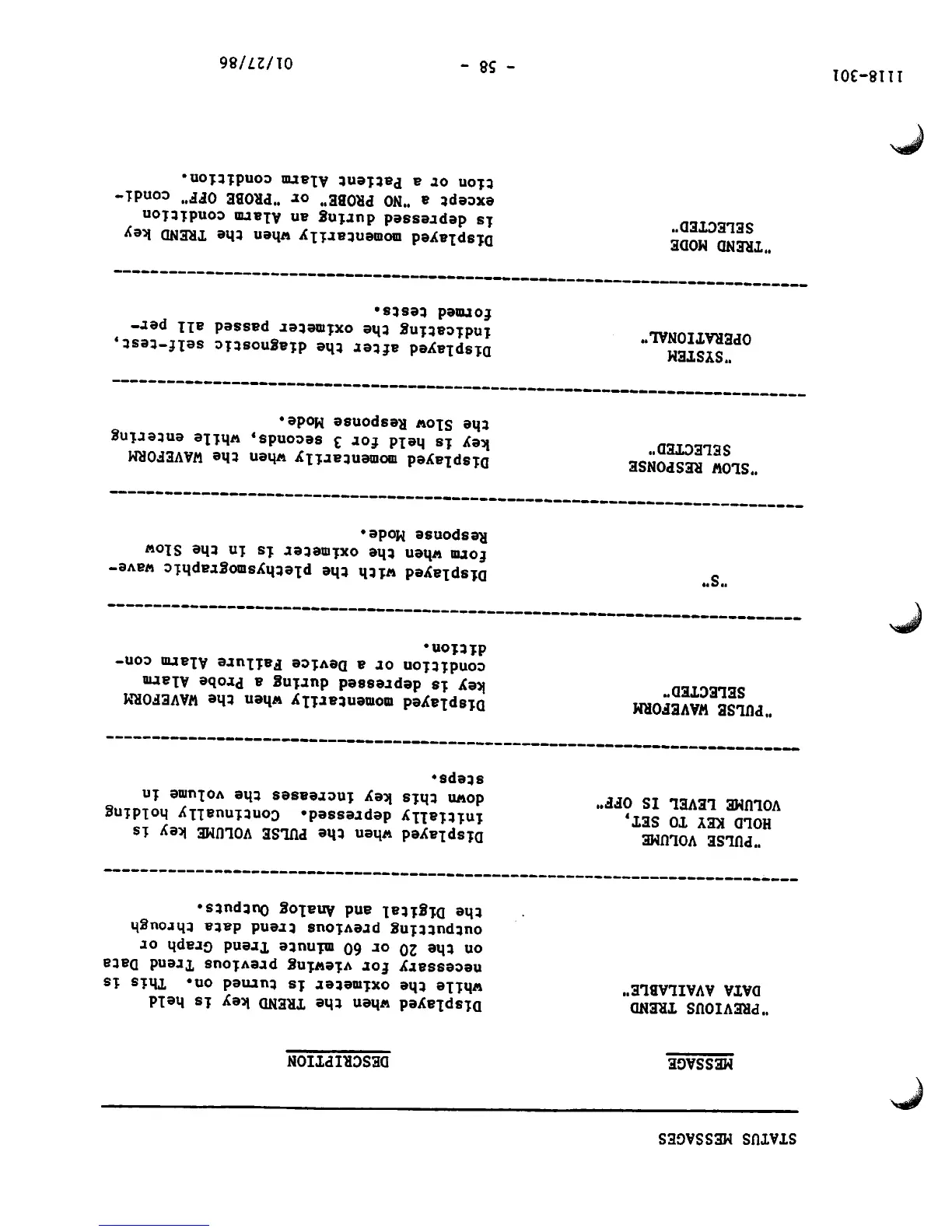
MESSAGE
'PREVIOUS
TREND
DATA
AVAILABLE"
"PULSE
VOLUME
HOLD
KEY TO
SET,
VOLUME
LEVEL
IS OFF"
'PULSE WAVEFORM
SELECTED"
"SLOW
RESPONSE
SELECTED"
"SYSTEM
OPERATIONAL"
'TREND
MODE
SELECTED"
DESCRIPTION
Displayed
when
the
TREND
key
is
held
while
the
oximeter
is
turned
on.
This
is
necessary
for viewing
previous
Trend
Data
on
the
20
or
60
minute
Trend
Graph
or
outputting
previous
trend
data
through
the
Digital
and
Analog
Outputs.
Displayed
when
the
PULSE
VOLUME
key
is
initially
depressed.
Continually
holding
down
this
key
increases
the
volume
in
steps.
Displayed
momentarily
when
the
WAVEFORM
key
is
depressed
during
a
Probe
Alarm
condition
or a
Device
Failure
Alarm
con
dition.
Displayed
with
the
plethysmographic
wave
form
when
the
oximeter
is
in
the
Slow
Response Mode.
Displayed
momentarily
when
the
WAVEFORM
key
is
held
for
3
seconds,
while
entering
the
Slow
Response
Mode.
Displayed
after
the
diagnostic
self-test,
indicating
the
oximeter
passed
all
per
formed
tests.
Displayed
momentarily
when
the
TREND
key
is
depressed
during
an
Alarm
condition
except
a
"NO
PROBE"
or
"PROBE
OFF"
condi
tion
or a
Patient
Alarm
condition.
- 58 -
01/27/86

Other manuals for Ohmeda Biox 3700

Related product manuals