EasyManua.ls Logo

Ohmeda Biox 3700 - Page 83

Default Icon
130 pages
Print Icon
To Next Page IconTo Next Page
To Previous Page IconTo Previous Page
Loading...
1118-301
DIGITAL
INTERFACE
Most
printers,
display
terminals,
and computers with an RS-232C
interface
and
the
capability
to
accept
ASCII
formatted
data
at
a
1200
BPS
(Bits
Per
Second)
baud
rate
may
be
interfaced
to
the
Ohmeda
Biox
3700
Pulse
Oximeter.
Prior
to
connecting
the
Ohmeda
Biox
3700
with
RS-232C
devices,
make
sure
the
settings
on
the
terminal
or
equipment
are:
1200
Baud
7 Bit
Data
Odd Parity
1 Stop Bit
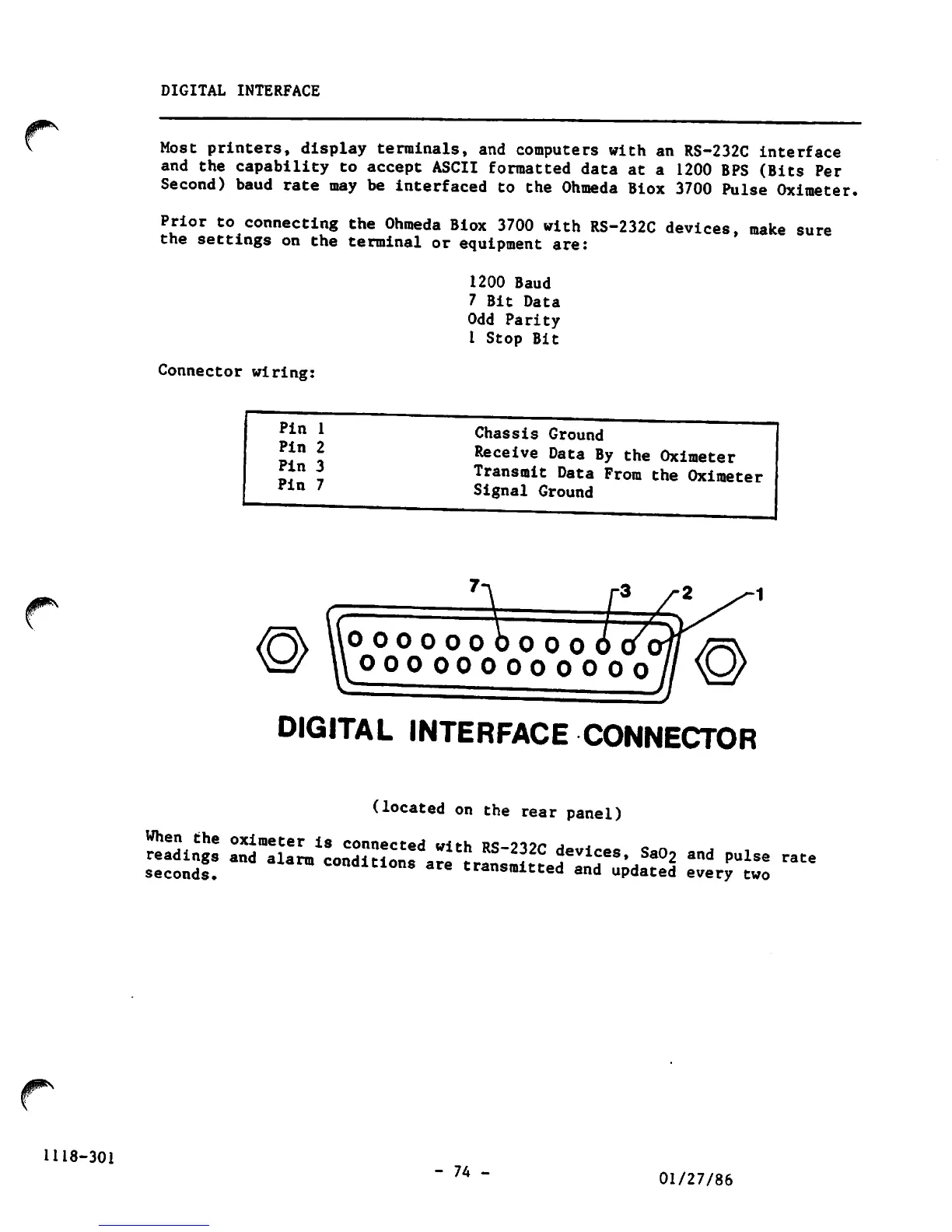
Connector
wiring:
Pin
1
Pin
2
Pin
3
Pin
7
Chassis Ground
Receive
Data
By
the
Oximeter
Transmit
Data
From
the
Oximeter
Signal Ground
0000000000.
OOOOOOOOOO
0 0
DIGITAL
INTERFACE
CONNECTOR
(located
on
the
rear
panel)
When
the
oximeter
is
connected
with
R«?-9i?r
a~
j
readings
and
alarm
conditions
are
rl
devices
Sa02
and
pulse
rate
seconds.
conditions
are
transmitted
and
updated
every
two
-
74
-
01/27/86

Other manuals for Ohmeda Biox 3700

Related product manuals