EasyManua.ls Logo

Oki B4200 - User Manual

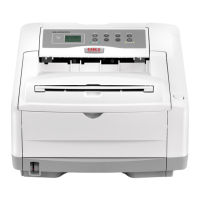
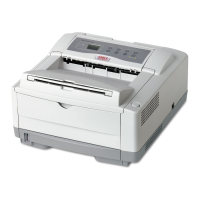
Oki B4200
226 pages
Print Icon
To Next Page IconTo Next Page
Loading...
OkiLAN 6020e
®
Pocket Print Server
Users Guide
High Performance 10/100 Base-T Ethernet
Network Print Server

Table of Contents

Other manuals for Oki B4200

Questions and Answers

  • M
    Megan HaysAug 28, 2025
    Why does my Oki B4200 print pages that curl excessively?
    • C
      Courtney HicksAug 28, 2025
      Excessive curling of pages from your Oki Printer can be caused by several factors: * Printing on the wrong side of the paper. Turn the paper over in the tray, noting the arrow on the paper package, and install the paper print side down. * Moisture in the paper due to improper storage. Avoid storing paper in areas of excessive temperature and humidity and store paper in protective wrapping. * High humidity. The recommended operating humidity is 20-80%.
  • D
    dmckinneyAug 27, 2025
    Why is my Oki B4200 printing garbage?
    • B
      Breanna MillerAug 27, 2025
      If your Oki Printer is printing garbage, it may be due to an incorrect cable configuration. Check the cable configuration, continuity, and length.
  • P
    pearsonjuliaAug 27, 2025
    Why does my Oki B4200 Printer have faded print?
    • T
      Tammy AyalaAug 27, 2025
      Faded print on your Oki Printer can occur if the toner cartridge is not correctly installed or if the toner is low. To resolve this, correctly install the toner cartridge or replace it with a new one.
  • K
    Kristen CarterAug 25, 2025
    What to do if my Oki B4200 Printer prints blank sheets?
    • K
      kevin31Aug 26, 2025
      If your Oki Printer is printing blank sheets, it could be due to the image drum cartridge not being properly installed. Try reinstalling the image drum cartridge. Alternatively, the toner cartridge may be empty or missing. If so, install a new toner cartridge.
  • L
    Lee NguyenAug 25, 2025
    How to resolve feed jam or exit jam on Oki B4200?
    • M
      Matthew RamosAug 25, 2025
      To resolve a FEED JAM or EXIT JAM on your Oki Printer: 1. Remove the tray and clear any misfed sheets. 2. Open the top cover. 3. Carefully lift out the image drum, complete with the toner cartridge, being careful not to touch or scratch the green drum surface. 4. Remove any jammed sheets from the paper path. 5. Re-install the image drum complete with toner cartridge, ensuring that it correctly locates into the slots on each side of the printer. 6. Close the top cover and press down to latch it closed. The printer will warm up and commence printing when ready. The page lost through the jam will normally be reprinted.

Oki B4200 Specifications

General IconGeneral
BrandOki
ModelB4200
CategoryPrinter
LanguageEnglish

Related product manuals