Maintenance > 55
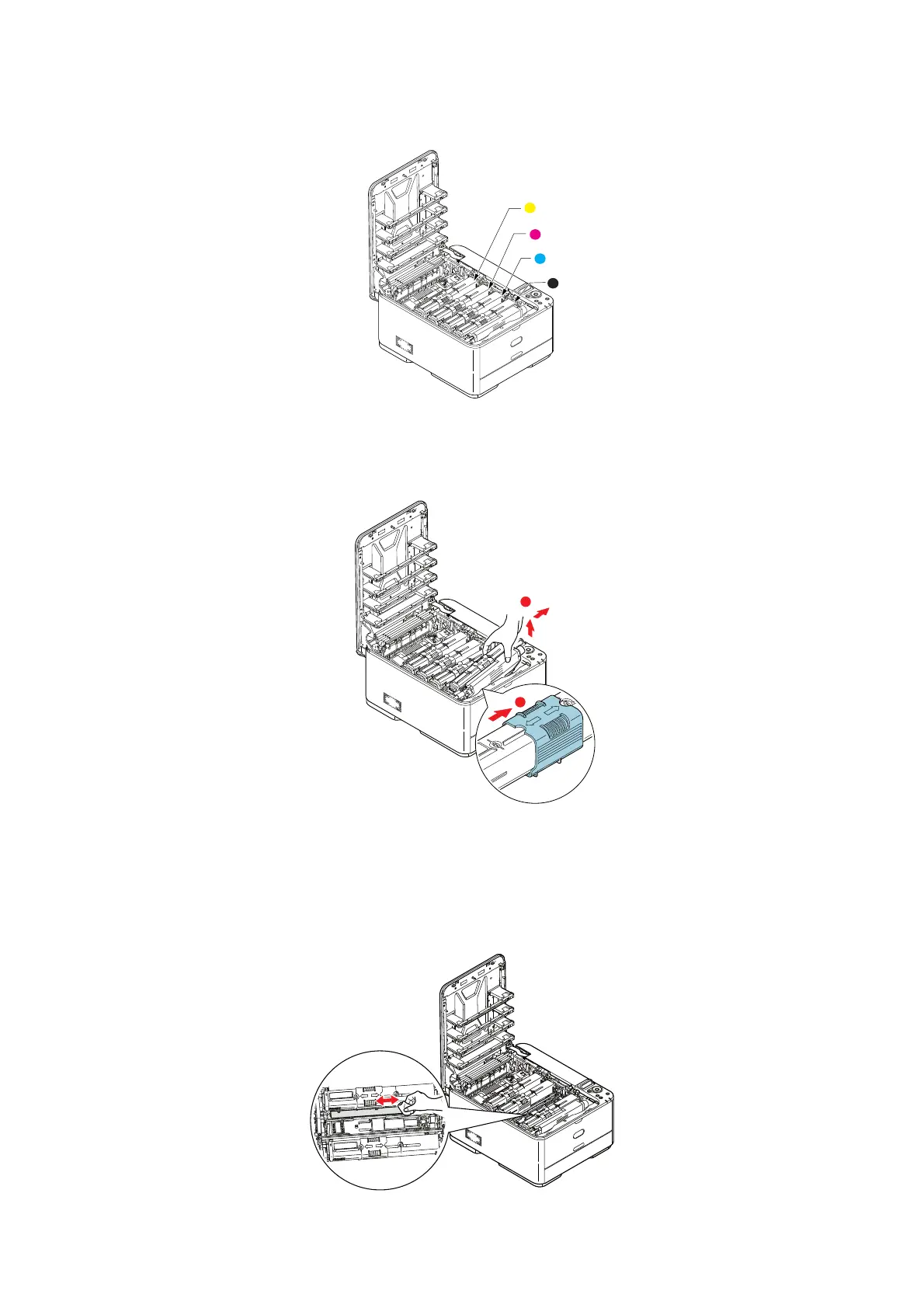
2. Note the positions of the four cartridges. It is essential that they go back in the same
order.
(a) Slide the colored release collar on the cartridge to be replaced fully towa
rds the
right hand side of the printer.
(b) Lift the right-hand end of the cartridge and then draw the
cartridge to t
he right
to release the left-hand end as shown, and withdraw the toner cartridge out of
the printer.
3. Put the cart
ridge down gently onto a piece of paper to prevent toner from marking
your furniture.
4. Clean the top of the ID unit with a clean, lint free cloth.
1. Yellow cartridge 2. Magenta cartridge
3. Cyan cartridge 4. Black cartridge



 To Next Page