44952001TH Rev.2
4-39
Oki Data CONFIDENTIAL
4.REPLACEMENT OF PARTS
4.2.20 Feed rollers
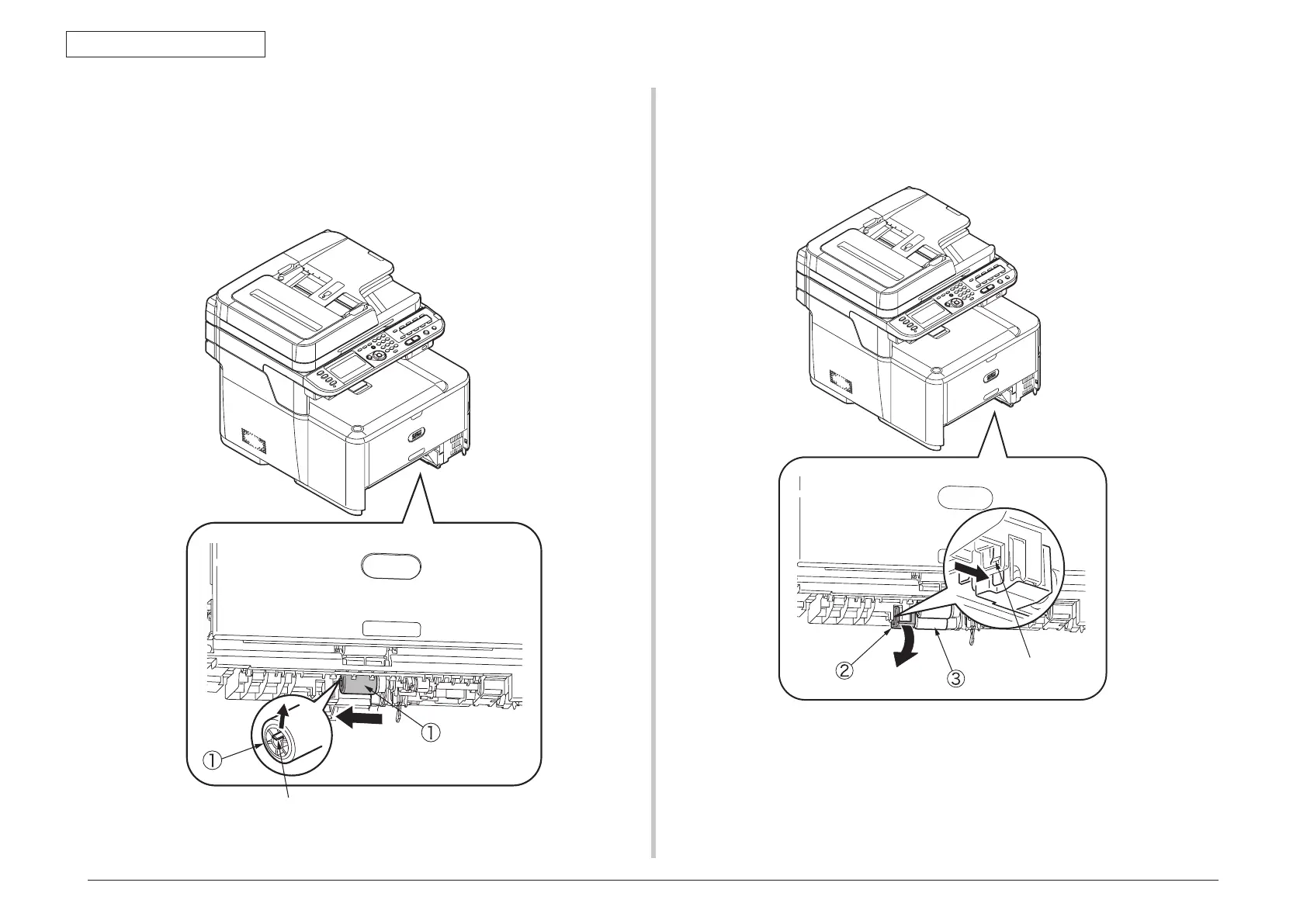
(1) Remove the cassette.
(2) Lift the tab of the front paper feed roller
①
outward, slide the front paper feed roller
①
to the left and remove it.
(3) Press the tab on the black cover
②
attached to the left side of the rear paper feed
roller
③
and open the black cover
②
downward.
(4) Remove the rear paper feed roller
③
.
Ta b
Ta b



 To Next Page