d-Color MF 3300/3800 3-9
3.3 Specifying a destination
3
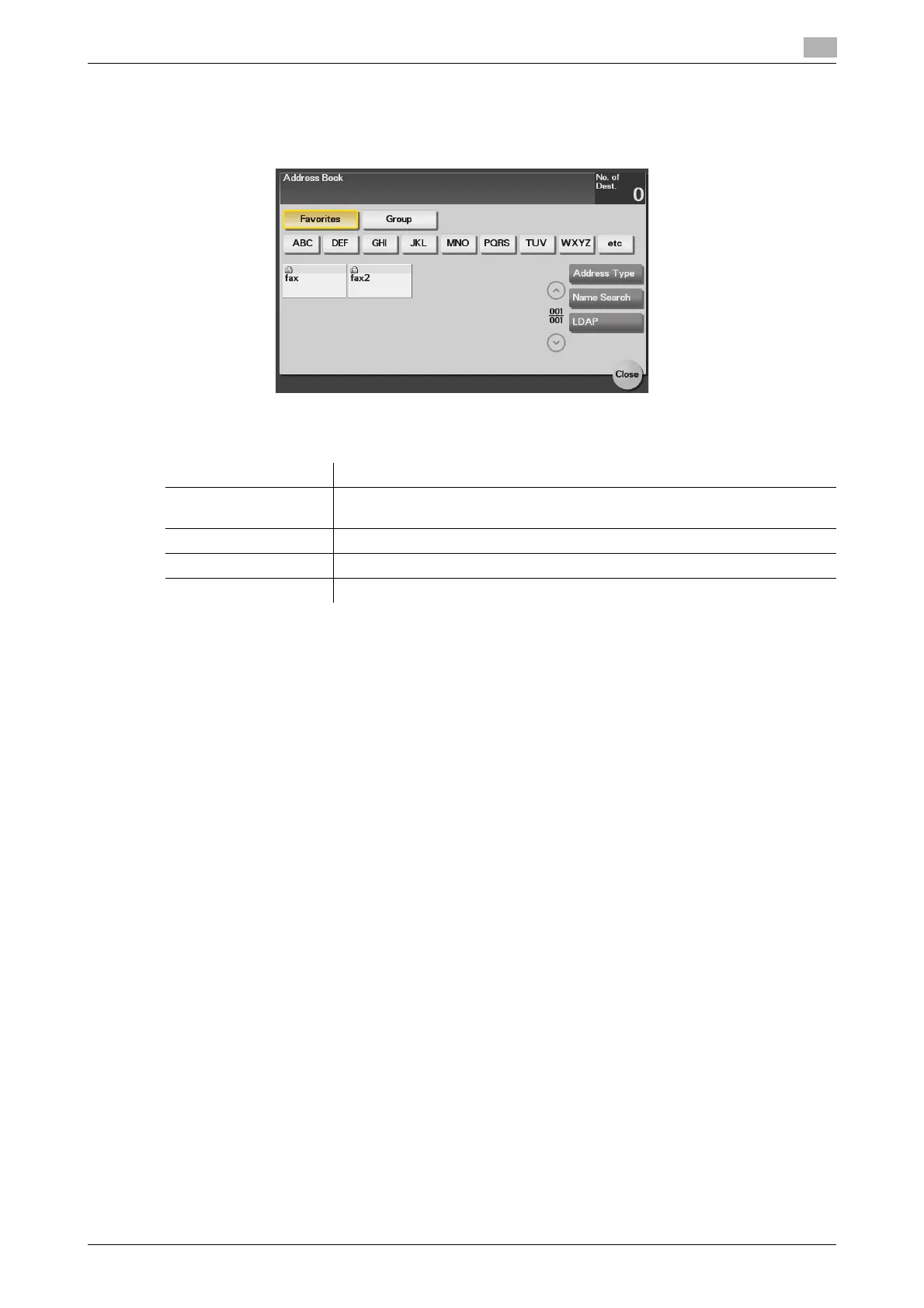
Selecting a destination from Address Book
Tapping [Addr. Book] displays the address book. From the address book, select a destination registered on
this machine. You can send data by broadcast transmission if you select multiple destinations.
Specify the index or address type assigned to the registered destination to narrow down the destinations to
be displayed in the address book.
dReference
An Internet fax destination and group destination can only be registered using Web Connection. For details
on the registration procedure, refer to Chapter 2 in [User's Guide Applied Functions].
Item Description
[Favorites] Displays the destinations registered in Favorites when registering a destina-
tion.
[Group] Displays group destinations.
[Address Type] Narrow down destinations by the type of the registered destination.
[Name Search] Searches for the specified destination using its registration name.


 To Next Page
 Loading...










