d-Color MF 3300/3800 3-5
3.2 Recalling a program for sending
3
3.2 Recalling a program for sending
Program
Program is a function used to register a combination of frequently used option settings and destination infor-
mation as a recall key.
When you register a program, you can recall a combination of option settings and destination information
with a single key action on the main screen.
Registering a program
You can register up to 400 programs.
If 400 programs have already been registered, delete unnecessary programs before registering a new pro-
gram.
0 To register a program, you must register the address book in advance. For details on how to register a
destination, refer to Chapter 2 in [User's Guide Applied Functions].
1 Tap [Fax].
2 Tap [Application], then configure scan option settings.
% The settings configured here are registered as a program.
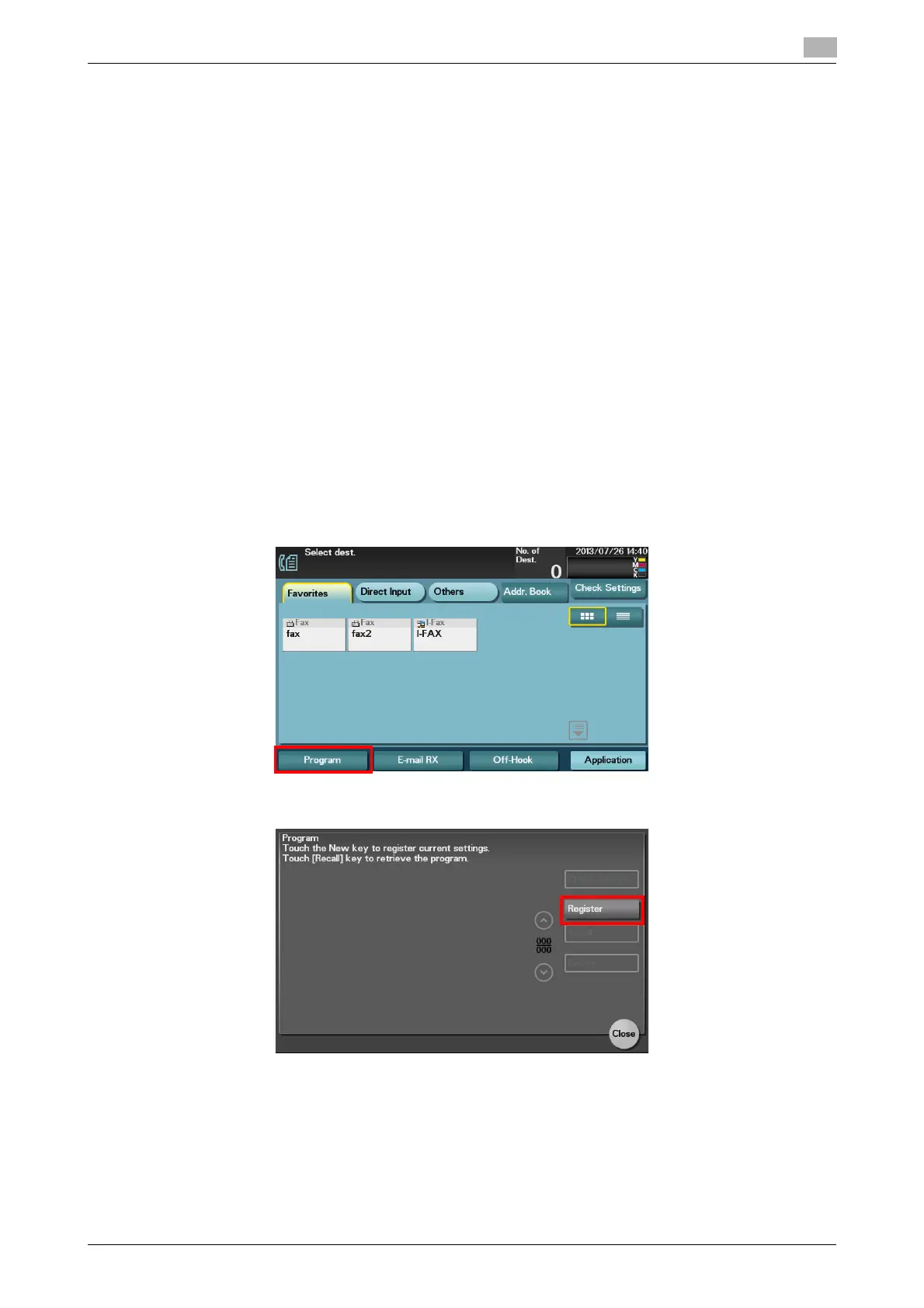
3 Tap [Program].
4 Tap [Register].



 To Next Page
 Loading...









