1
-5-18
1-5-7 Optical section
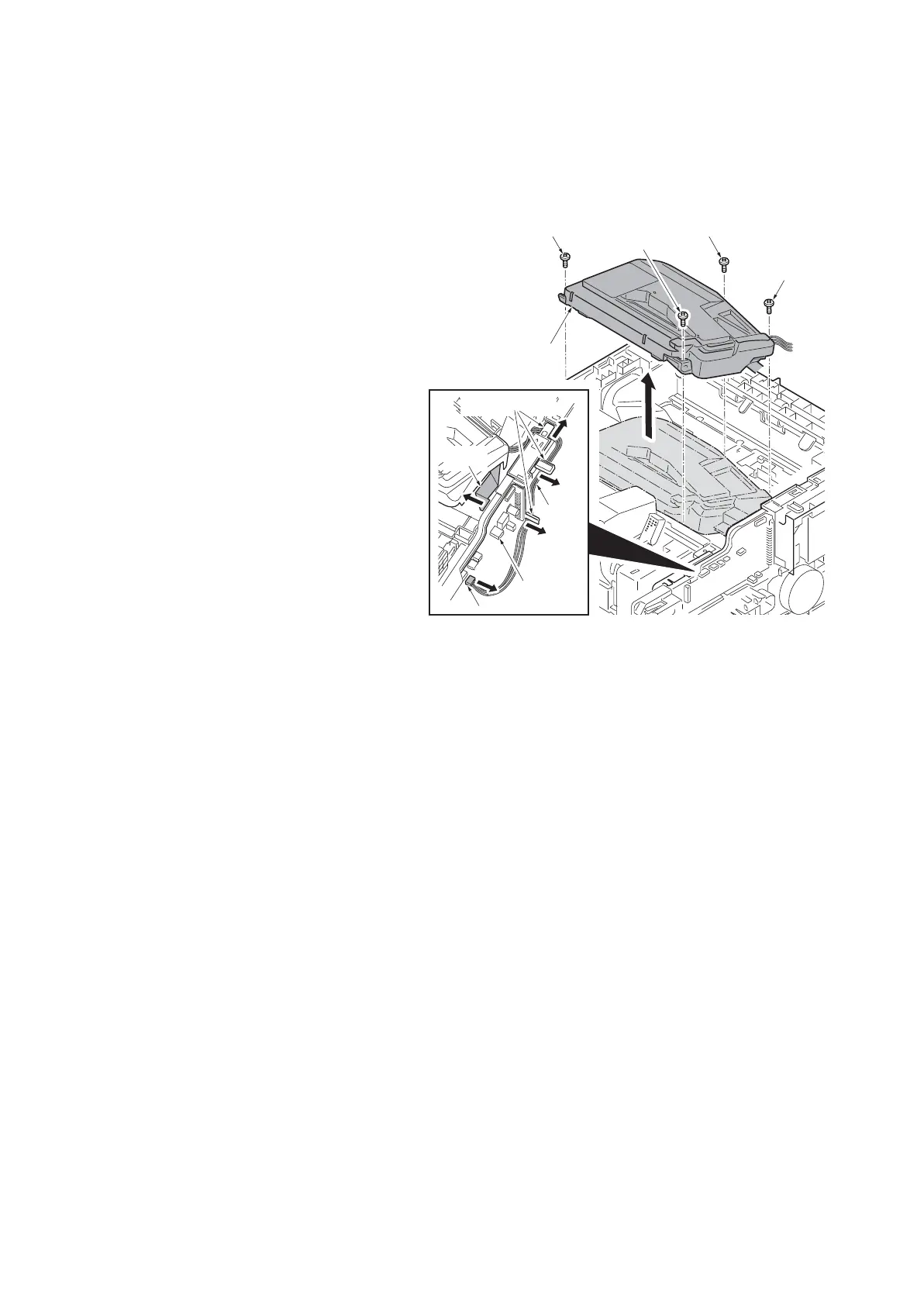
(1) Detaching and refitting the laser scanner unit
Procedure
1. Remove the top cover assembly.
(See page 1-5-3)
2. Remove the right upper cover.
(See page 1-5-4)
3. Pull the connector and FFC from engi
ne
PWB out.
4.
Release the wires from the wire guide.
5. Remove four screws and then remo
ve
the
laser scanner unit upward.
6. Check or replace the laser scanner un
it
an
d refit all the removed parts.
Figure 1-5-28
Screw
Screw Screw
Screw
Laser scanner
unit
Engine
PWB
Wires
FFC
Wire guides
Connector













 To Next Page