1
-2-14
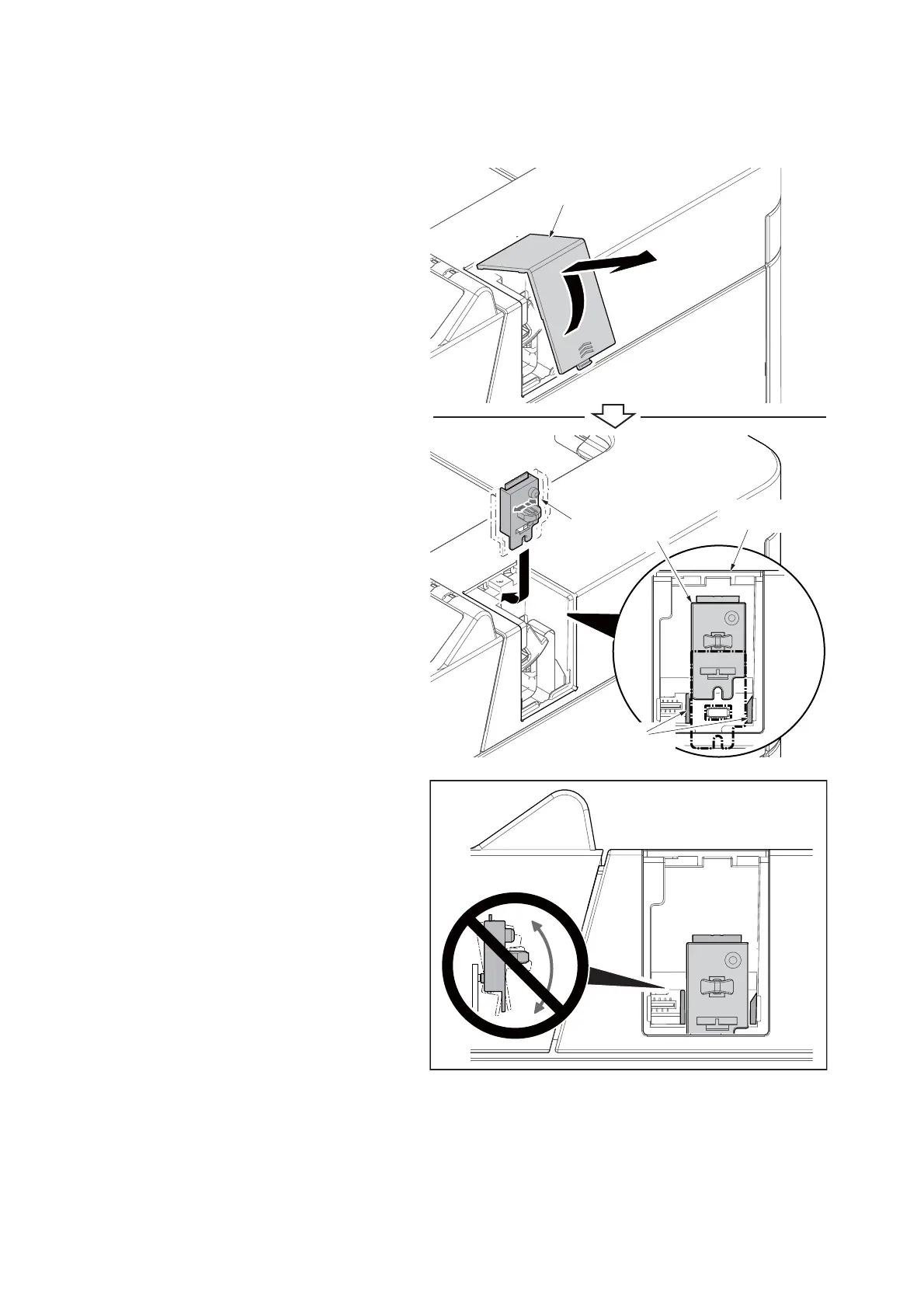
(3) Wireless Network Interface Kit (IB-36)
Precedure
1. Unplug the power cable.
* :
Wait for 15 seconds or more, go
to the
st
ep 2.
2. After twisting the Wi-Fi cover, remove
it.
3. Insert the connector while aligni
ng the
b
ackside connector of the Wi-Fi PWB to
the connector of the Main PWB.
4. Reattach the Wi-Fi cover in the origin
al
p
osition.
5. Plug the power cable.
Note of detaching and refitting
When attaching the WiFi PWB assembly,
insert it while aligning it to the guide on the top
cover.
Also, take care not to twist the WiFi PWB
assembly in the vertical direction in order to
avoid the damage when attaching and detach-
ing it.
Figure 1-2-24
Wi-Fi PWB cover
Wi-Fi PWB Assy
Top cover
Insert guides













 To Next Page