1-
2-1
1-2 Installatio n
1-2-1 Unpacking and installation
(1) Installation procedure
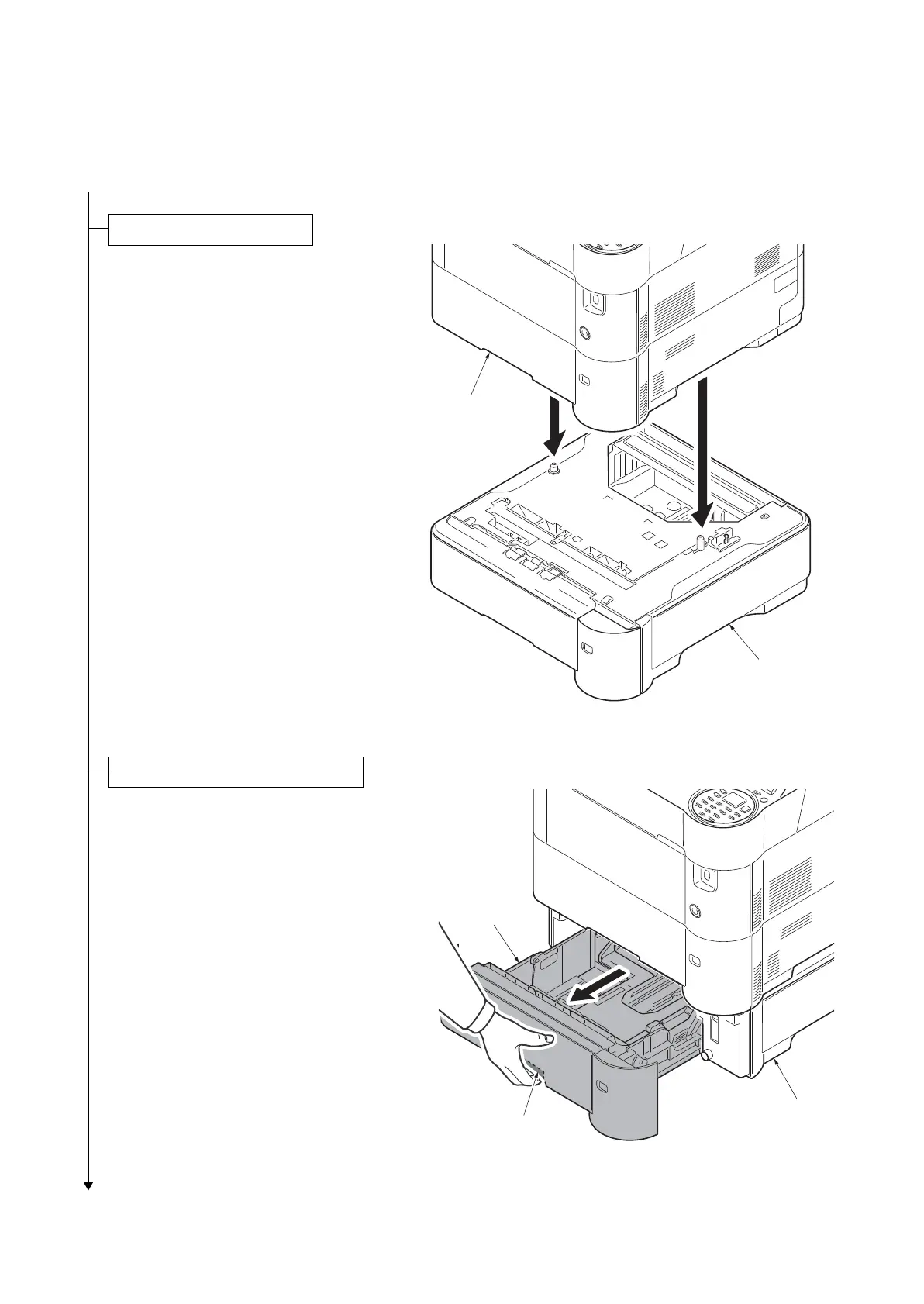
1. Remove the paper feeder from the con-
tainer box and place the feeder wher
e
you w
ant to install it.
2. Lift the printer
up without tilting it, then
put it
down onto the paper feeder(s) by
fitting the four corners as shown in the
figure.
(The number of the maximum stag
es:
F
our step
s)
F
igure 1-2-1
1. Pull the cassette from the paper fe
eder
out w
hile griping the release lever.
Figure 1-2-2
Installing the paper feeder
Loading paper into the cassette
Release lever
Paper feeder
Cassette













 To Next Page