1-
4-5
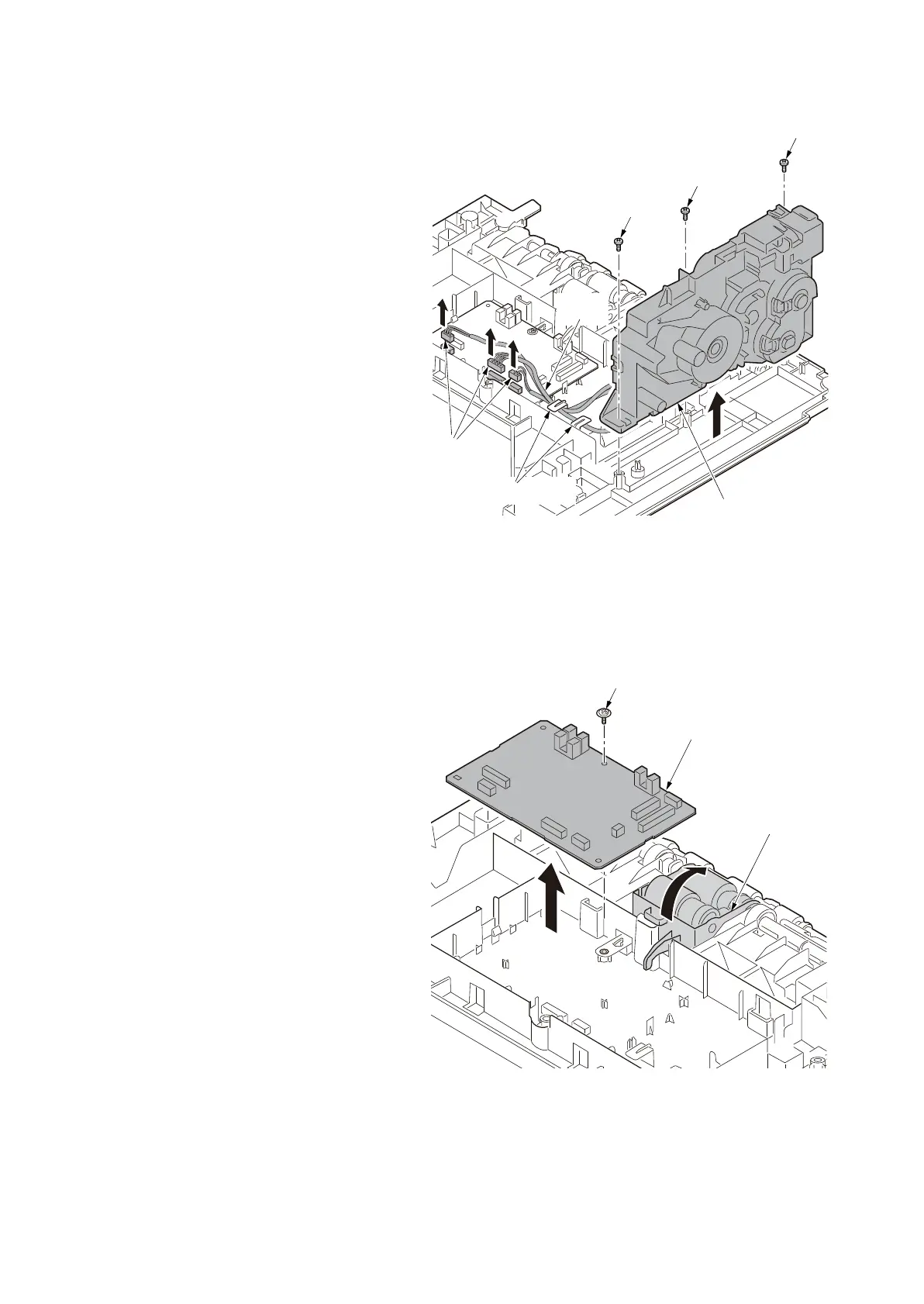
7. Pull the three connectors out and th
en
r
elease the wires from the wire holders.
8. Remove the three screws and then
remove the drive unit.
Figure 1-4-6
9. Pull the paper feed roller assembly up.
10. Remove all connectors from the PF
main PWB.
11. Remove the screw and then remo
ve the
PF main PWB
.
12. Check or replace the drive unit or
PF
ma
in PWB and refit all the removed
parts.
Figure 1-4-7
Screw
Screw
Screw
Connectors
Wire holders
Drive unit
Wires
Screw
PF main PWB
Paper feed roller
assembly













 To Next Page