1-
2-5
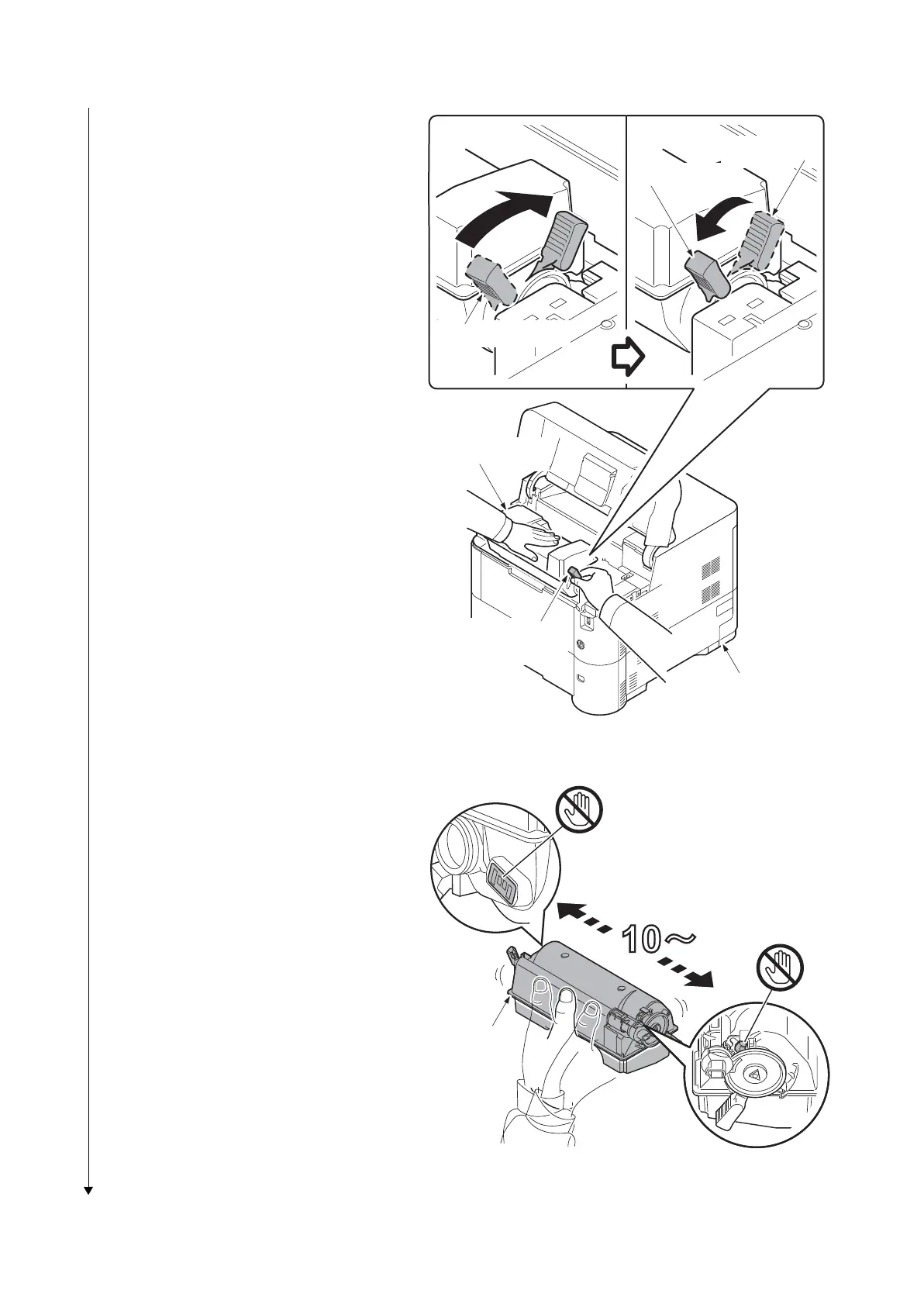
3. Rotate the toner container lock leve
r to
the
lock position and then remove the
toner container from the printer
by
returning it
to the unlock position.
Figure 1-2-7
4. Shake the turned toner container 10
times or more as shown in the figure in
order to distribute the toner even
ly
in
side the container.
Caution:Do not press too firmly on
the
cen
ter of the toner container or to
uch
the
toner feed slot or the terminal parts.
5. Set the toner container to the printer
and then turn the toner container lock
lever to the lock position.
6. Close the top cover.
Figure 1-2-8
Unlock position
Toner container
lock lever
Lock position
Shipment position
Toner container
Printer
Terminal parts
Toner
container
Toner feed slot













 To Next Page