3
Changing the playback speed
19
EN
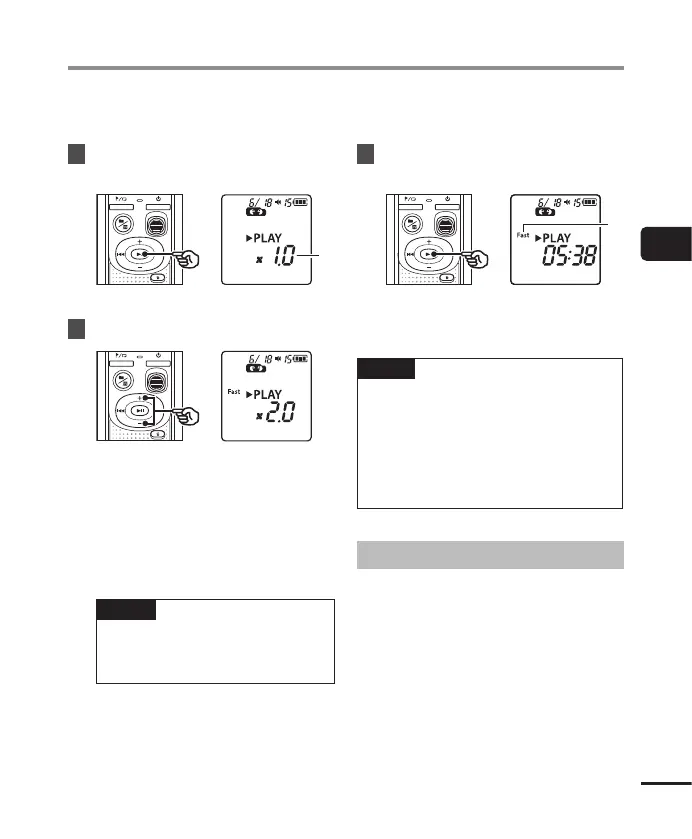
Changing the playback speed is handy for speeding up conference presentations, or for slowing
down parts difficult to discern when learning a language.
1
Press and hold the p button
during playback.
a Playback speed
2
Press the
+
or
–
button.
• The playback speed can be adjusted
between [x0.5] and [x2.0] in 0.1
increments.
• The playback speed increases when
the + button is pressed, and decreases
when the – button is pressed.
• To return to the normal playback
speed, set the setting to [x1.0].
TIP
• Press and hold the p button on
the playback speed screen to return
to [x1.0] at once.
3
Press the p button to finalize
the setting.
b Voice recorder status indicator
(during fast-playback)
NOTE
• Altered playback speed settings are
retained even after power OFF.
• Changing the playback speed will make
the battery deplete more quickly.
• Noise Cancel function will not be
available while you are changing the
playback speed (☞P. 21).
Fast playback restrictions
Depending on their sampling frequency and
bit rate, some files may not play normally.
In this case, you will need to reduce the
playback speed.
Changing the playback speed



 To Next Page