5
28
EN
PC connection/disconnection
Connecting the voice recorder to a PC
1
Start the PC.
2
Connect the USB cable to the USB
port of the PC.
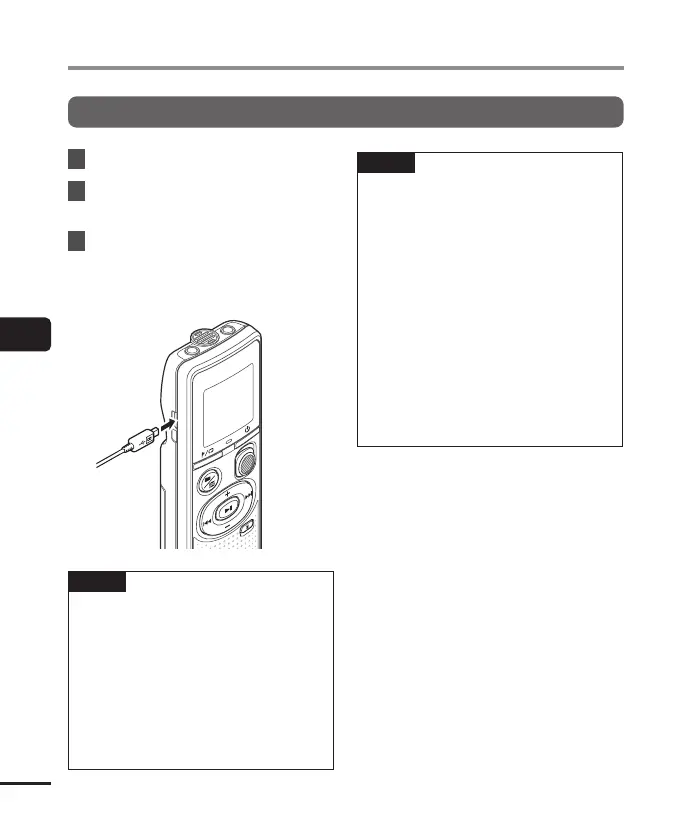
3
After making sure the voice
recorder is in stop mode, connect
the USB cable to the connecting
port on this recorder.
TIP
• Windows: The voice recorder is
recognized and displayed in the
[Computer] folder with the model
name as the drive name.
• Macintosh: The voice recorder is
recognized and displayed on the
desktop with the model name as the
drive name.
• For information on the PC’s USB port,
see the PC’s user manual.
NOTE
• Insert the USB connector securely all
the way. Operation will not be normal if
the connection is not made properly.
• Connecting the voice recorder through
a USB hub may result in unstable
operation. Do not use a USB hub if
operation is unstable.
• Use only our compatible micro USB
cable. Operation is not guaranteed if
another manufacturer’s cable is used.
Only use our micro USB cable with the
voice recorder and never use it with
another manufacture’s products.
Once the included micro USB cable
is broken or lost, please contact the
Customer Support Center.
PC connection/disconnection



 To Next Page