1
Setup
6
EN
Setup
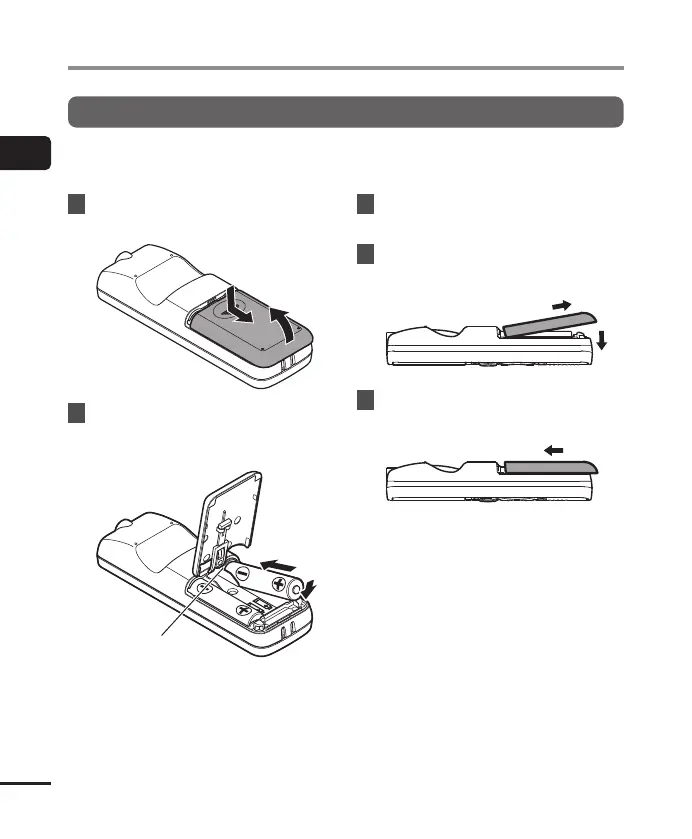
Inserting the batteries
Before using the voice recorder, insert the batteries in the battery compartment of the voice
recorder.
1
Slide open the battery cover
while pressing down on it.
1
2
2
Insert the batteries, making
sure its positive and negative
terminals are placed correctly.
1
2
Insert the battery’s
negative terminal first.
3
Pull up the battery cover in the
direction of 1.
4 Align the battery cover with the
voice recorder. (2)
1
2
5 Slide the battery cover in the
direction of 3 to close it.
3
• Do not close the battery cover while
the batteries are still loose.



 To Next Page