5
PC connection/disconnection
29
EN
PC connection/disconnection
Disconnecting the voice recorder from a PC
Windows
1
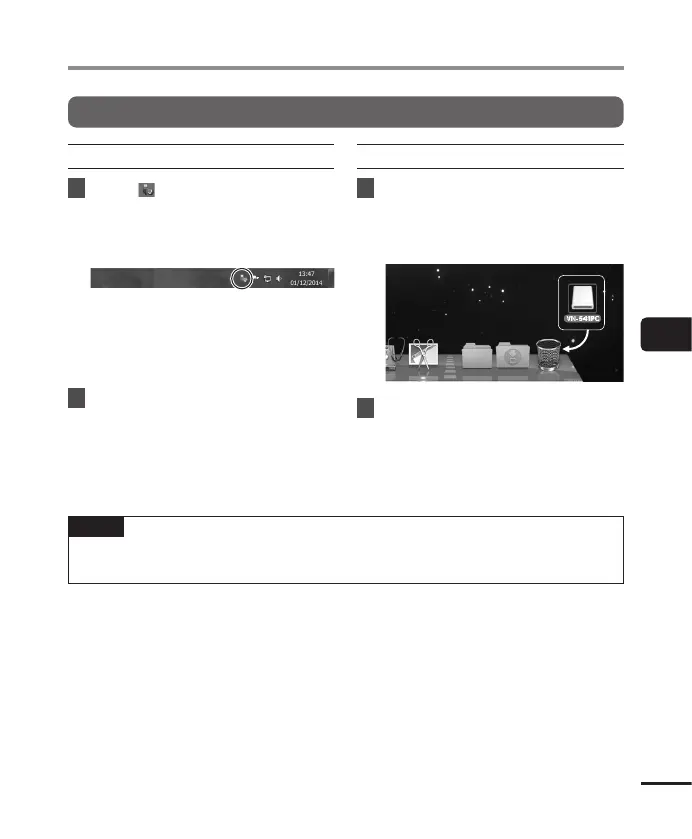
Click [ ] on the task bar in the
lower right hand corner of the
screen and click [
Eject DIGITAL
VOICE RECORDER
].
• The letter used to identify the drive
will vary according to your PC.
• When the window indicating it is safe
to remove hardware appears, close the
window.
2
Check that the LED indicator light
of the voice recorder has stopped
blinking and then disconnect the
USB cable.
Macintosh
1
Drag-and-drop the removable
disk icon for the voice recorder
shown on the desktop to the
trash can icon.
2
Check that the LED indicator light
of the voice recorder has stopped
blinking and then disconnect the
USB cable.
NOTE
• To prevent the risk of data damage, never disconnect the voice recorder from the USB
port while the LED indicator light is flashing.



 To Next Page