3
Reducing noise during playback (Noise Cancel)
21
EN
Repeat playback
3
Press and hold the l button
again when playback reaches
the desired end position for A/B
repeat playback.
• Segment A/B is set, and A/B repeat
playback starts.
4
Press the p button.
• Playback stops. The playback segment
specified for this function is retained.
NOTE
• You cannot write index marks or temp
marks during A/B repeat playback.
Canceling A/B repeat playback
1
Press and hold the l button
while the voice recorder is in stop
mode, or during playback.
NOTE
• A/B repeat playback function will be
cancelled in case position of the file
reaches beginning or end of the file by
pressing the 9 or 0 buttons.
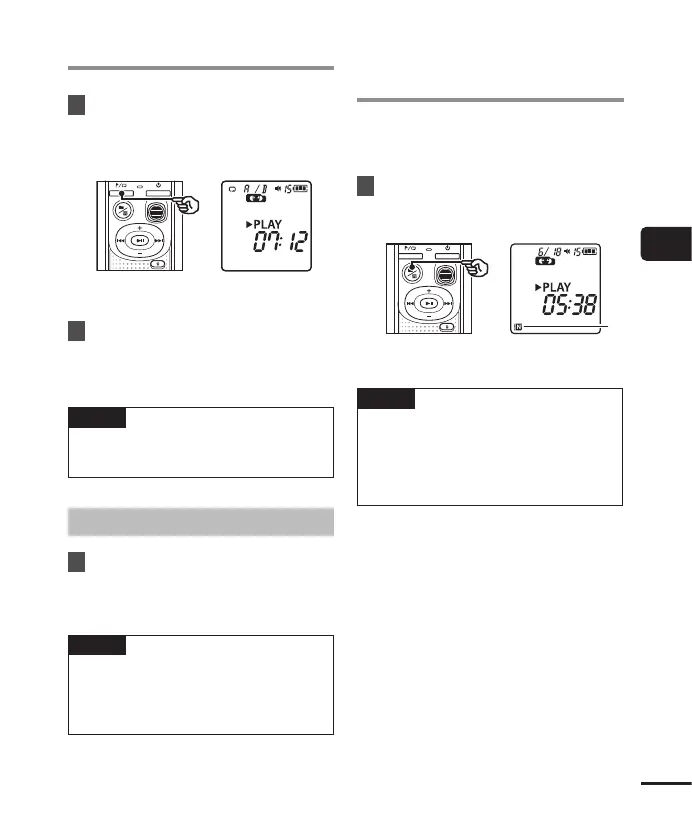
Use the Noise Cancel function to reduce noise
when a recorded voice is difficult to discern.
1
Press and hold the n button
while the voice recorder is in stop
mode, or during playback.
a Noise Cancel indicator
NOTE
• Using the Noise Cancel function will
make the battery deplete more quickly.
• Noise Cancel function will not be
available while you are changing the
playback speed (☞P. 19).
Reducing noise during
playback (Noise Cancel)



 To Next Page