EasyManua.ls Logo

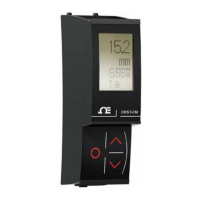
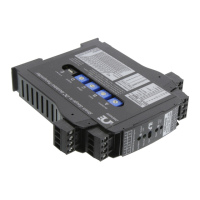
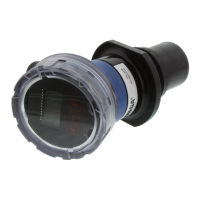
Omega LVU700 Series - User Manual

Omega LVU700 Series
52 pages
Print Icon
To Next Page IconTo Next Page
Loading...
1


Questions and Answers

  • L
    Larry DavisAug 18, 2025
    What to do if Omega Transmitter indicates a current over 23 mA?
    • J
      Joan McclainAug 18, 2025
      If the Omega Transmitter indicates a current over 23 mA, this suggests a short circuit. Immediately check the wiring to identify and resolve the short circuit.
  • J
    Joseph MartinAug 20, 2025
    What to do if Omega LVU700 indicates a current of 0 mA?
    • T
      tabithaboydAug 20, 2025
      If the Omega Transmitter indicates a current of 0 mA, it usually means there is an open circuit. Inspect the wiring to locate and fix the open circuit.
  • D
    Donald AshleyAug 22, 2025
    What to do if Omega Transmitter jumps to a current reading between 19 and 20 mA?
    • O
      ogutierrezAug 22, 2025
      If the Omega Transmitter jumps to a current reading between 19 and 20 mA, it might be due to bad installation fittings. Inspect the installation of the transmitter.
  • L
    lopezsamuelAug 26, 2025
    What to do if Omega Transmitter display shows FULL?
    • D
      Donna WatsonAug 26, 2025
      If the Omega Transmitter display shows 'FULL', the liquid level is above the FILL-H setting. Check the FILL-H setting and ensure it is high enough, so the liquid level remains below it.
  • G
    Gregory HarrisAug 27, 2025
    What to do if Omega Transmitter display shows EMPTY?
    • P
      Patrick GatesAug 27, 2025
      If the Omega Transmitter display shows 'EMPTY' on your Omega Transmitter, the liquid level is beyond the HEIGHT setting. Check the HEIGHT setting to ensure it is low enough, so the liquid level remains above it.
  • B
    Brianna GarciaAug 30, 2025
    What to do if Omega LVU700 display shows LOST?
    • B
      Billy DukeAug 30, 2025
      If the Omega Transmitter display shows 'LOST', the sensor is in a Fail-Safe state because return sound pulses aren't reaching the transducer. First, cycle the power off and on, waiting 5 seconds between turning it off and on. If the problem continues, check the installation fitting against the installation instructions.
  • S
    sara88Sep 1, 2025
    Why does Omega LVU700 display WARMUP?
    • B
      Bridget ParkSep 1, 2025
      The Omega Transmitter displays 'WARMUP' due to a weak power supply, bad wire connections, or because the sensor is out of its operational range.
  • J
    Jason WardSep 4, 2025
    How to correct Omega LVU700 Transmitter display if it shows the opposite of the measured value?
    • S
      Sydney GonzalezSep 4, 2025
      To correct the Omega Transmitter display if it's opposite of the measured value, change the DISPLAY mode from AIR to LIQUID or vice versa.
  • J
    Joseph LeeSep 6, 2025
    What to do if I get a '-1 No device is attached to the USB Fob' error with Omega?
    • H
      Hannah GreeneSep 6, 2025
      To resolve a '-1 No device is attached to the USB Fob' error with your Omega device: 1. Check the wires connected to the USB Fob and the LVU700 series terminals. 2. Ensure the cable length between the sensor and the computer is less than 15’. 3. Make sure the display was removed from its plug. 4. If the problem persists, reboot your computer in SAFE mode and reinstall the LVCN414-SW software installer program.
  • M
    Maria BellSep 9, 2025
    How to fix '-2 Program to loader error open wires' on Omega?
    • J
      Jacob ClarkSep 9, 2025
      To fix a '-2 Program to loader error open wires' error on your Omega device, check the wires connected to the USB Fob as well as to the LVU700 series terminals.

Omega LVU700 Series Specifications

General IconGeneral
BrandOmega
ModelLVU700 Series
CategoryTransmitter
LanguageEnglish

Related product manuals