80-JB566-1 Rev. G 8--3
MAY CONTAIN U.S. AND INTERNATIONAL EXPORT CONTROLLED INFORMATION
In-Cab Scanner Installation Installing the Scanner
Holster Mounting Option
1. Select a holster location.
2. Clean the location with an alcohol pad and allow to dry.
3. Carefully remove the film from the VHB adhesive locations on holster.
4. Position the holster onto desired location and firmly press down to ensure contact with
the surface.
Installing the Scanner
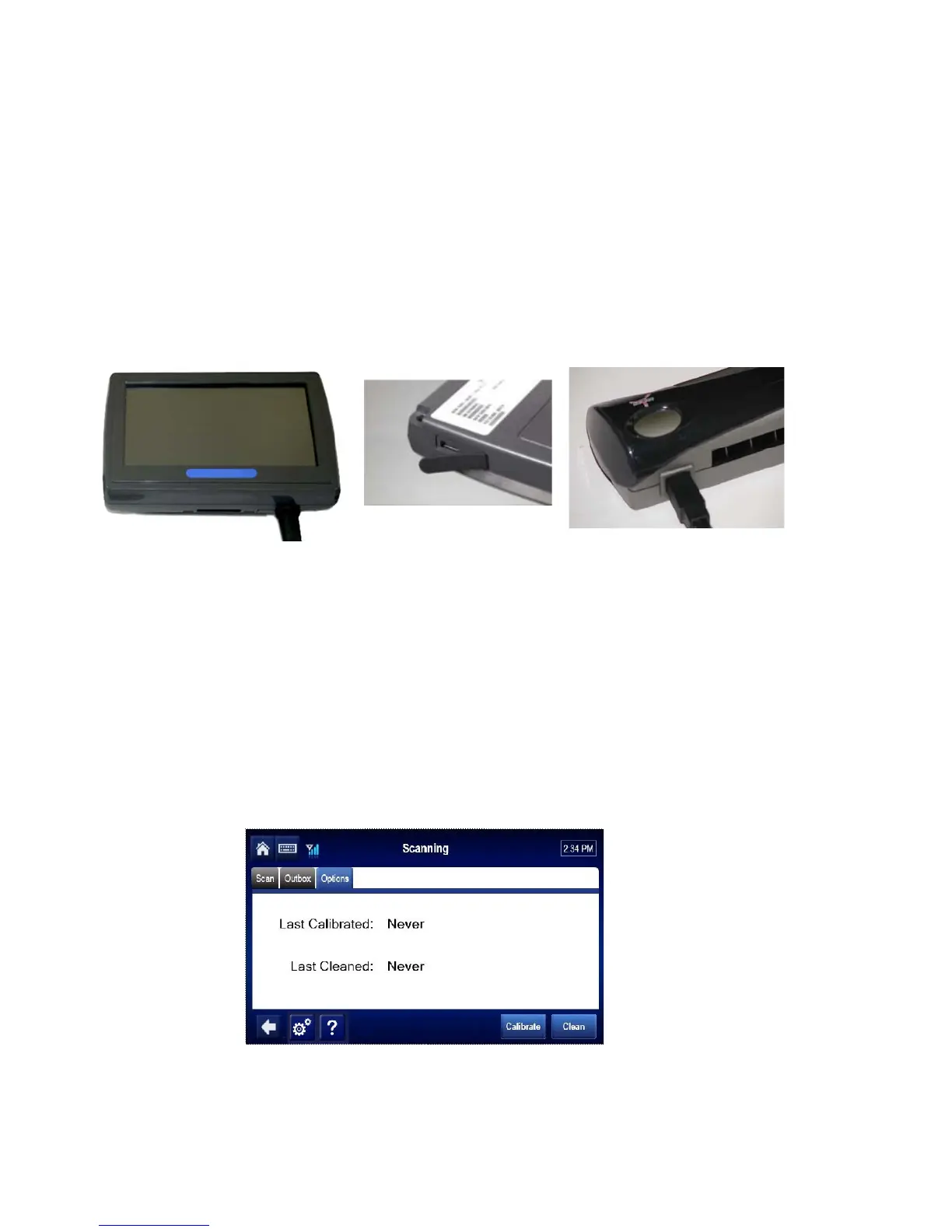
1. Connect the smaller end of the scanner cable to the USB port on the end of the
scanner.
2. Connect the scanner cable to the MCP50 using the USB port on the display.
3. Store excess scanner cable where it will not be damaged and will not obstruct the driver
or hinder truck performance. Keep cable away from sharp metal edges to avoid
damage.
Calibrating the Scanner
1. From the Scanning Home screen, Tap the Options tab.
2. Insert the black and white calibration page or plain white paper into the slot.


 To Next Page