80-JB566-1 Rev. G 8--5
MAY CONTAIN U.S. AND INTERNATIONAL EXPORT CONTROLLED INFORMATION
In-Cab Scanner Installation Cleaning the Scanner
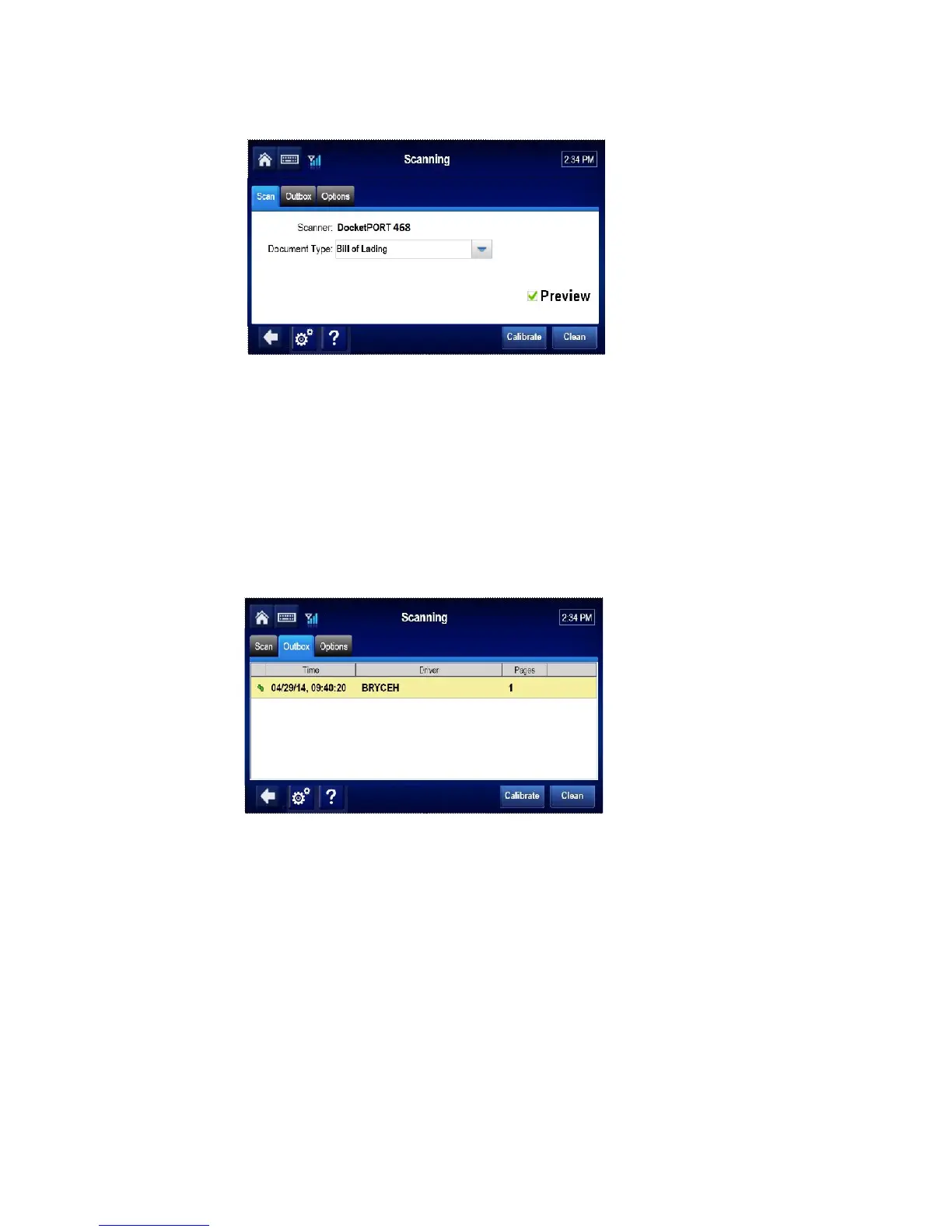
4. Tap the Scan Page button.
Note
If the preview box is checked, a preview page will appear. Tap the Accept button.
5. Tap the Done button.
6. Select the active Driver ID from the drop-down list, and enter the Load and Trailer #.
Tap the Send button.
7. When asked to confirm, tap the OK button.
8. Tap the Outbox tab and confirm a green check mark is displayed next to the scan.
Cleaning the Scanner
1. Tap the Options tab.
2. Insert the cleaning paper.
3. Tap the Clean button. Wait a few minutes while the scanner draws through the cleaning
paper and cleans the scanner.


 To Next Page