80-JB566-1 Rev. G 13-1
MAY CONTAIN U.S. AND INTERNATIONAL EXPORT CONTROLLED INFORMATION
13
DIU Problems
DIU50 Overview
The DIU50 is a color graphic display that integrates touchscreen functionality.
• When the vehicle ignition is ON, an image appears on the display screen.
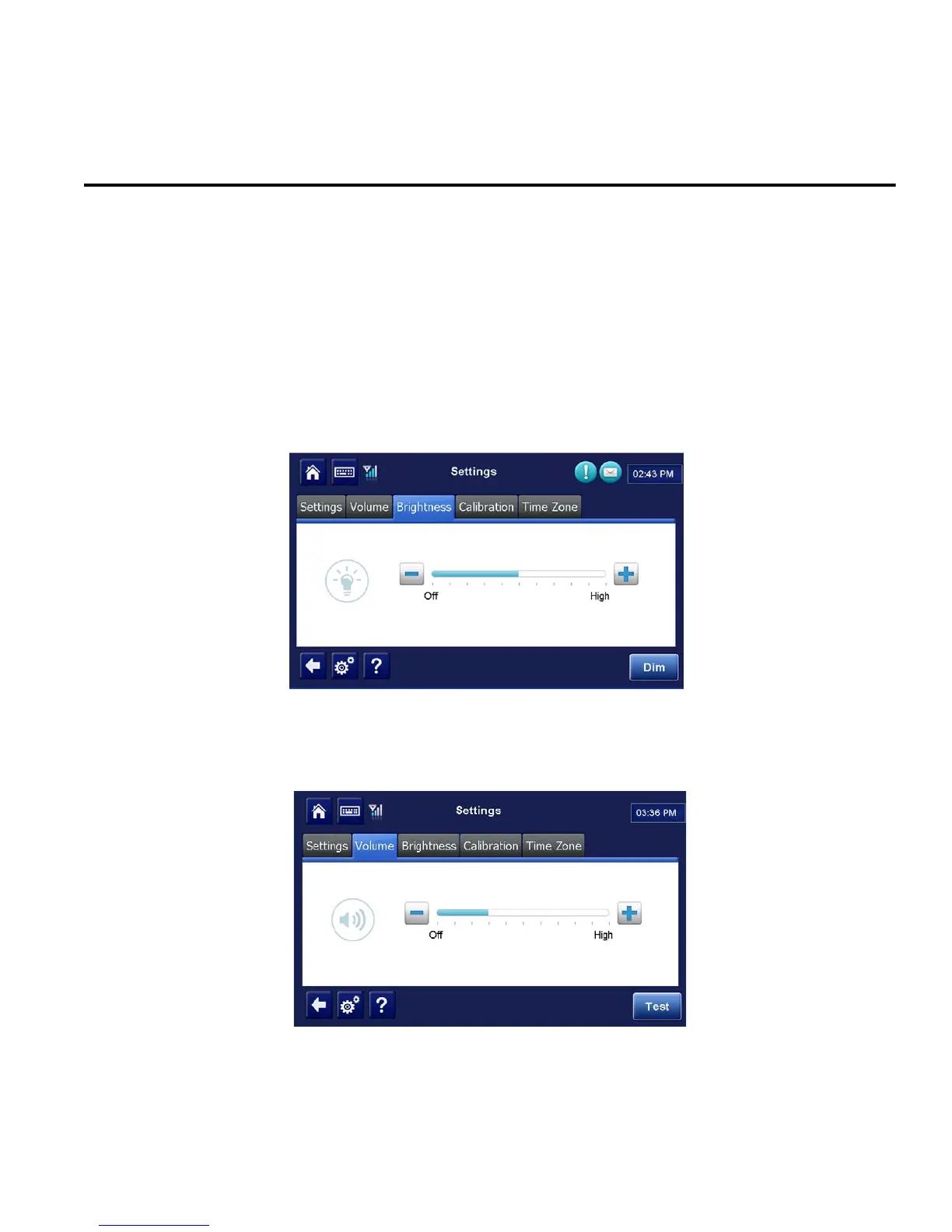
• To adjust the brightness, tap the Settings button and then tap Brightness. Tap the +
(plus) or - (minus) buttons to adjust.
• To dim completely, Tap the Dim button to adjust the screen brightness to zero. Tap the
screen again to return to full brightness. If this doesn’t work, cycle the ignition.
• Text-to-speech is played through the unit. To adjust the volume, tap the Settings button
then tap Volume. Tap the + (plus) or - (minus) buttons to adjust. Tap the Test button to
play back a message in the volume level chosen.
• When the vehicle ignition is turned OFF, the display screen stays on until the MCP50
power-down timer expires then it goes dark. The power-down timer is configured by the
customers’ dispatch system.


 To Next Page