80-JB566-1 Rev. G 16-1
MAY CONTAIN U.S. AND INTERNATIONAL EXPORT CONTROLLED INFORMATION
16
Cellular Signal Strength Problems
Problem: Cellular Signal Strength Fails
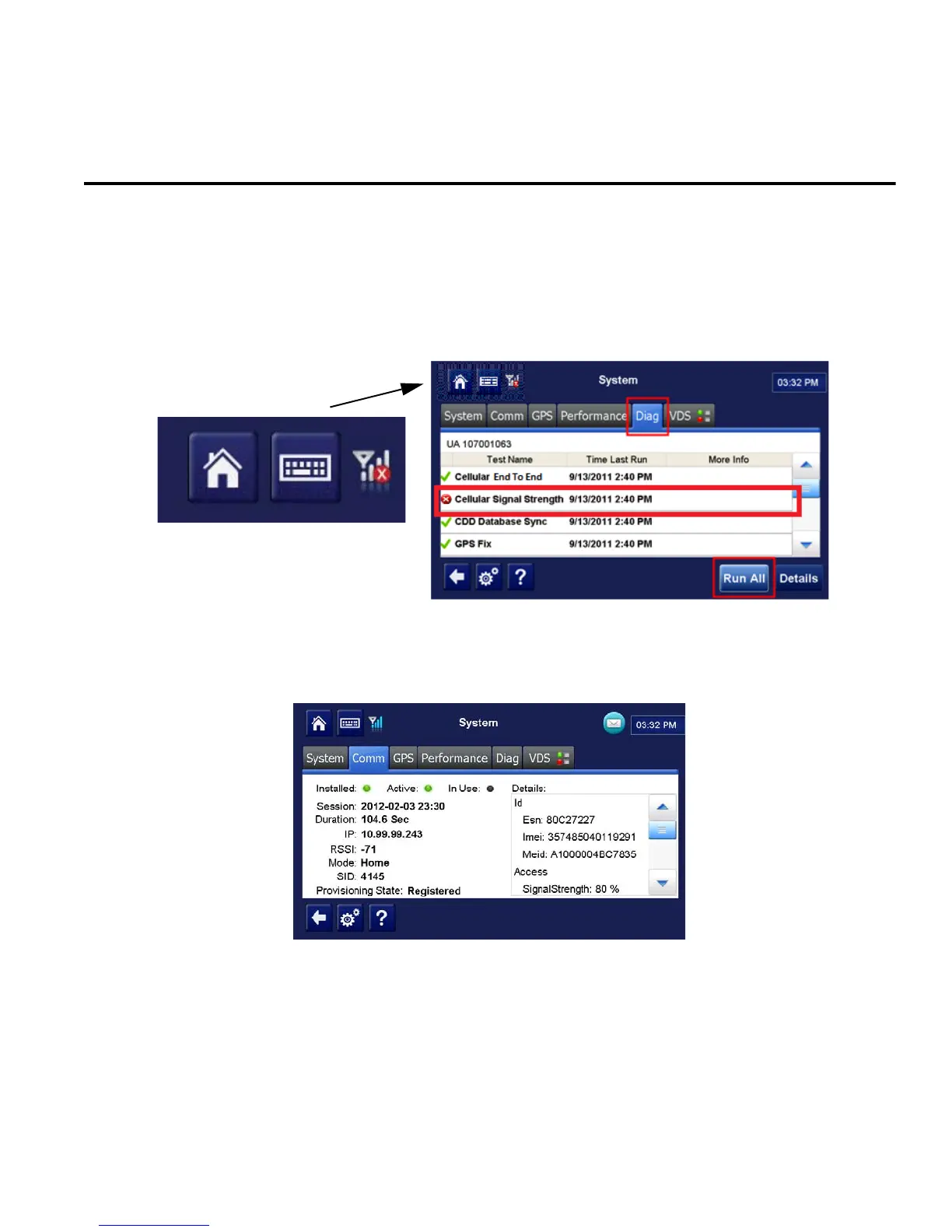
If the Cellular Signal Strength test is failing when performing a system verification, or the
cellular icon at the top of the screen shows a red X and no colored bars, follow the steps
below.
For detailed information concerning Cellular Signal Strength, tap the System button, then tap
the Comm tab.
RSSI to number of bars:
-50 to -75 four bars
-76 to -85 three bars
-86 to -95 two bars
-96 to -105 one bar
-106 to -109 no bars
-110 to -200 No signal light will come on


 To Next Page