4 Replacing the battery
4-2 Replacing the battery
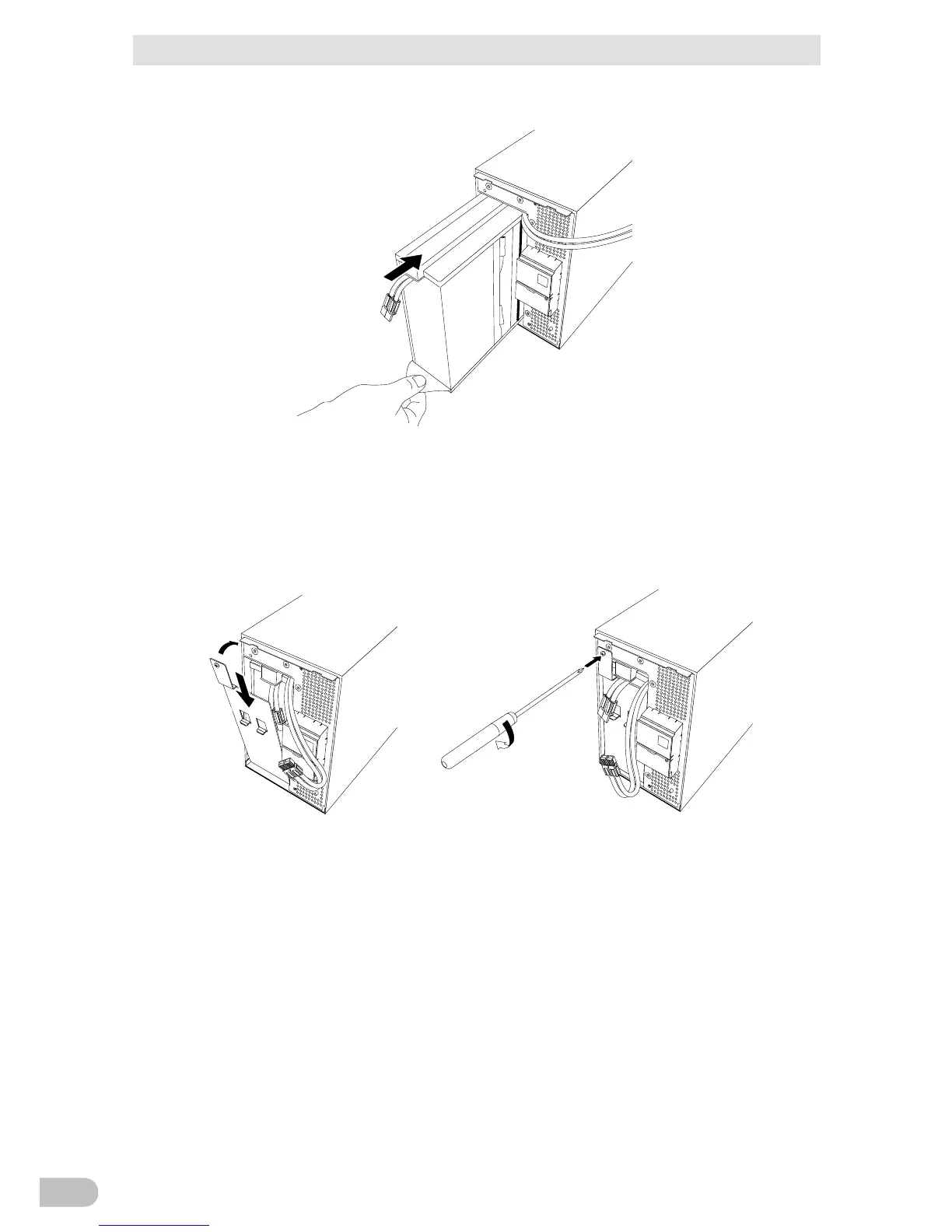
5. Insert a new battery into the UPS as far as it will go.
● Replacement battery pack
BA75T/BA100T: Model BAB100T
6. Attach the plate cover in order of (1 to (2.
Use a screwdriver to securely tighten (clockwise) the screw you removed. (3
Do not pinch the cable with the plate cover.



 To Next Page