4 Replacing the battery
4-2 Replacing the battery
Notes
Be sure to reset the battery life counter after replacing the battery.
● Press and hold the “Buzzer Pause/Test” switch of the UPS for 10 seconds or
longer to reset the battery life counter. Resetting is complete when “bJ” is
displayed. * Perform a reset with the “AC input” ON.
・ Stopping (“Power” switch OFF): When the beeper becomes a sustained beep,
release the switch.
・ In Commercial Power Mode (“Power” switch ON): When the beeper changes from
intermittent beeps to a sustained beep, release the switch.
If you do not reset the battery life counter, a battery deterioration alarm may occur
faster than the expected battery life.
・
Stick the related Battery replacement date label on the Unit after writing the battery
replacement date.
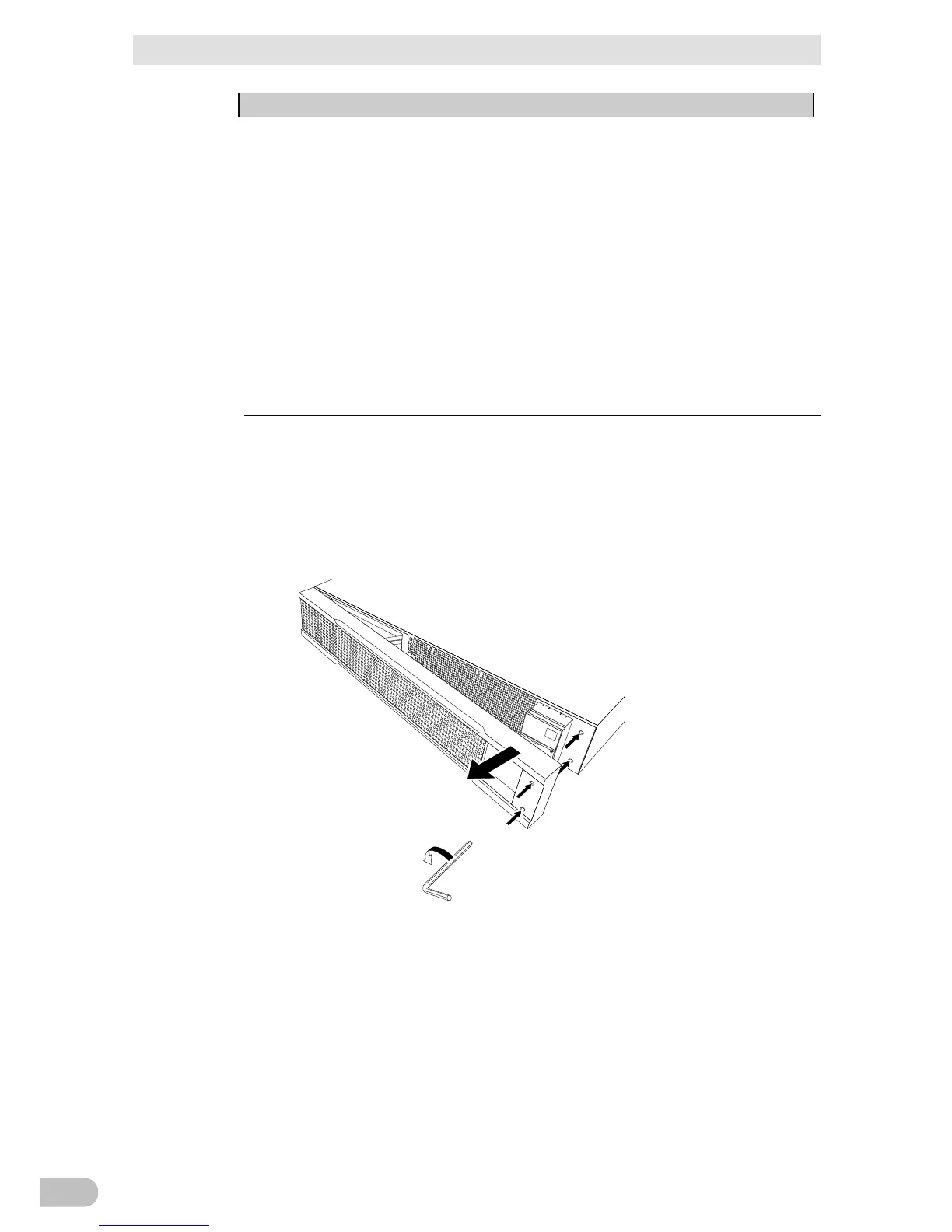
■ BA100R
1. Use a hex screwdriver or wrench to loosen (turn counterclockwise) the 2 screws at the
top of the front panel of the unit. (1
Pull the right side of the front panel towards you to remove it. (2



 To Next Page