36
SECTION 2
Installing RF Tags
RFID System
User's Manual
SECTION 2
Installation, Connections, and Wiring
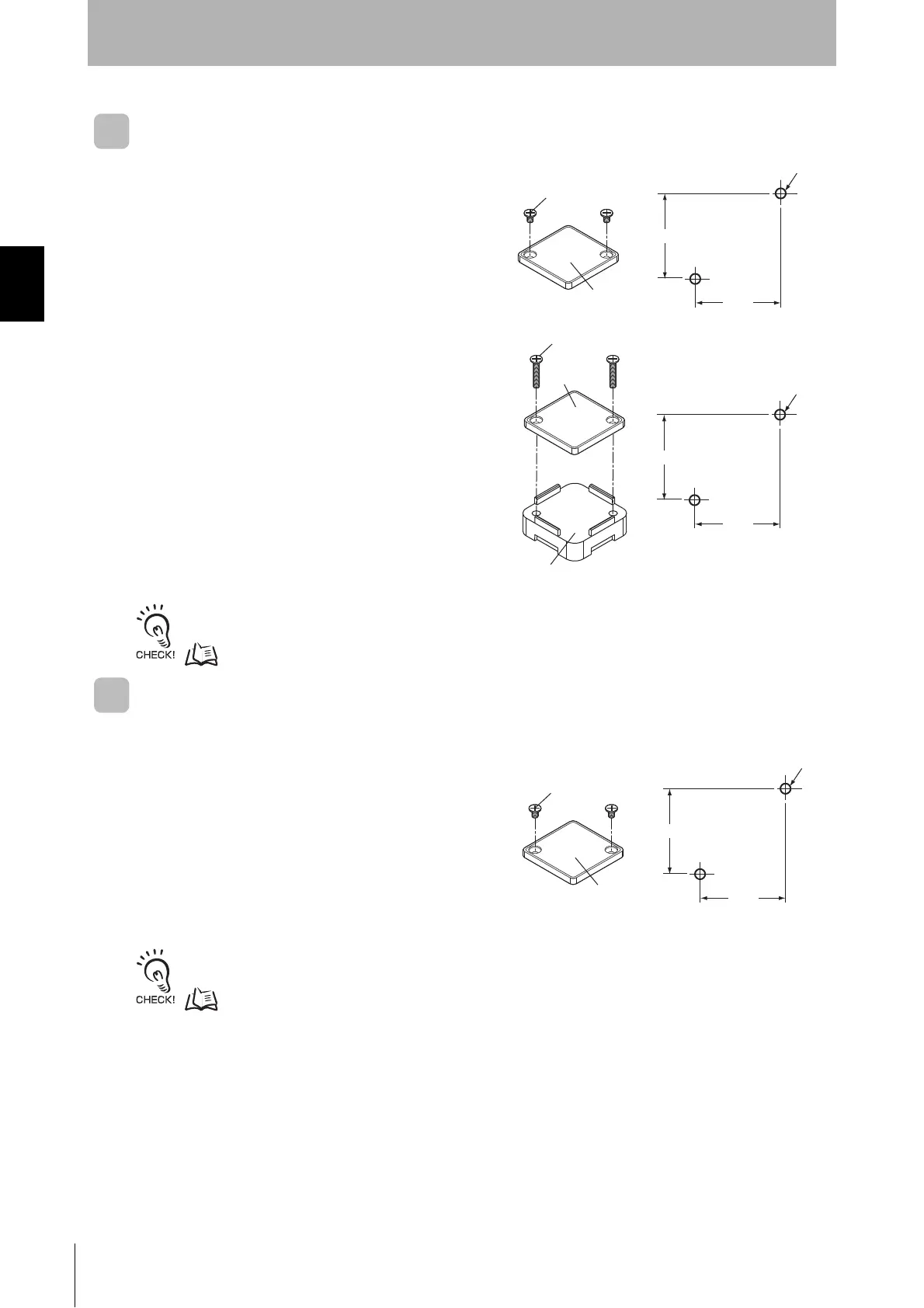
V680-D1KP66T
Mounting on Non-metallic Material
Mount the RF Tag using M3 pan-head screws from the
marked side.
Tightening torque: 0.3 to 0.5 N·m
Mounting on Metallic Material
The communications range will decrease if there is
metal at the back of the V680-D1KP66T RF Tag.
If the RF Tag is mounted to metallic material, use the
separately sold Special Attachment (V600-A86) or a
non-metallic spacer (e.g., plastic or resin).
Refer to Effect of Metal on Back of RF Tags (Reference) in Section 7 Appendices for information on the effect of metal
behind the V680-D1KP66T.
p.147
V680-D1KP66MT
Mount the RF Tag to metal using M3 pan-head screws
from the marked side. Tighten the screws to a torque
of 0.3 to 0.5 N·m.
Refer to Effect of Surrounding Metals (Reference) in Section 7 Appendices for information on the effect of metal behind
the V680-D1KP66MT.
p.149
Two, M3
Mounting Hole Dimensions
Marked side
25
±0.2
25
±0.2
M3 pan-head screw
Two, M3
Mounting Hole Dimensions
Marked
side
25
±0.2
25
±0.2
Attachment (V600-A86)
M3 pan-head screw
Two, M3
Mounting Hole Dimensions
Marked
side
25
±0.2
25
±0.2
M3 pan-head screw


 To Next Page