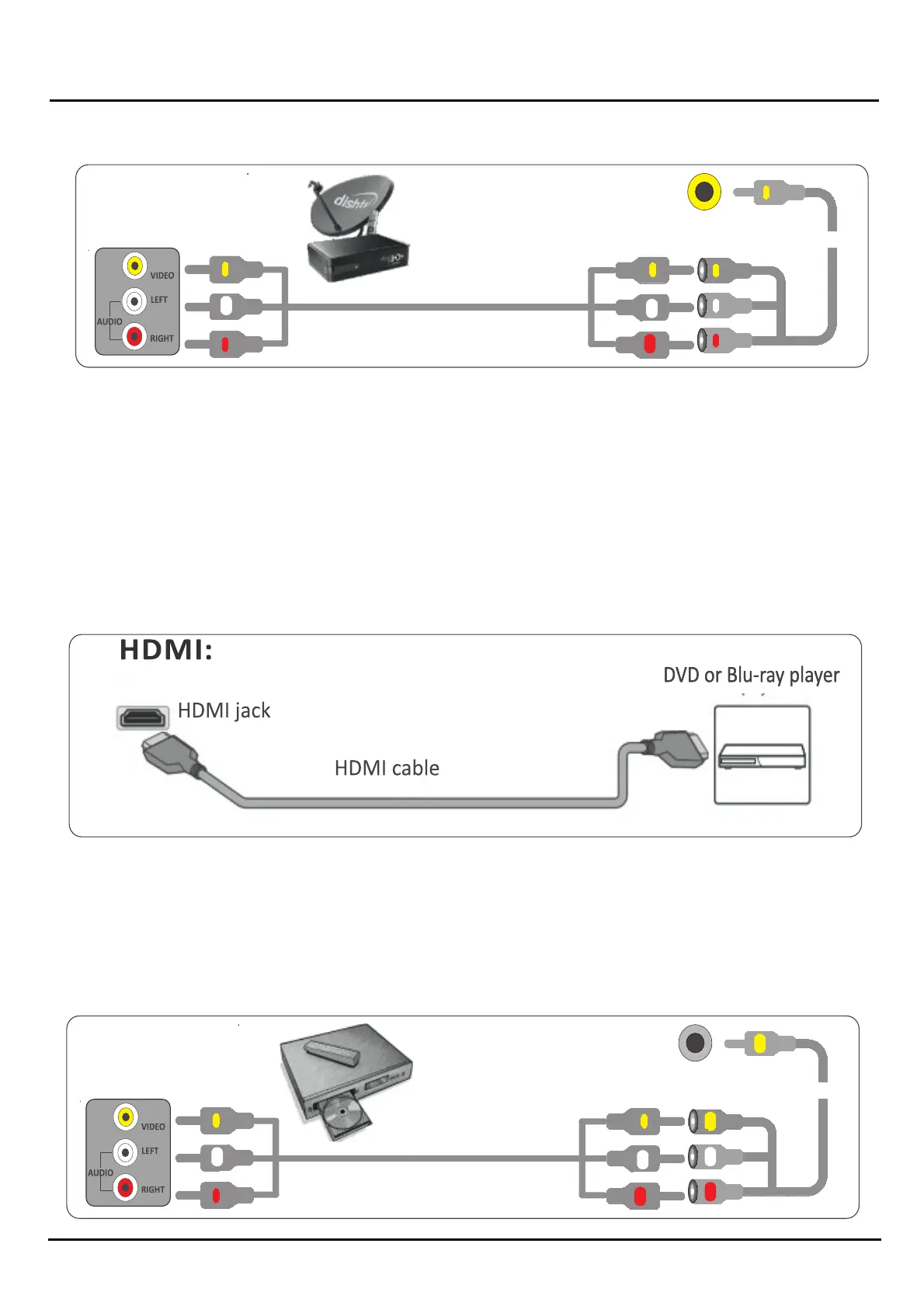
blue ray or DVD side
composite(AV) jack
AV cable
TV side composite(AV) mini jack
3mm AV Extension cable
Chapter 3 Source Connecon
1212121212
AV cable
TV side composite(AV) mini jack
3mm AV Extension cable
Set top box or DTH side
composite(AV) jack
IMPORTANT: When you connect the audio using the AV jacks, the signals are analog
4 .PIug your TV's power cord into a power outlet, turn on your TV, then turn on the cable or STB/DTH box
5 .0n the HOME screen, navigate to the INPUTS row, then select Composite
Connecng a VD or Blue ray player.
Many DVD or Blue-ray players have more than one connecon type. o get the best video, you should use the best cconnecon
type available.
You can connect a DVD or Blue-ray player using. *HDMI *AV/Composite
1. ) Make sure that your TV's power cord is unplugged and the DVD or Blue ray player is turned off.
2 .) Connect an HDMI cable (not provided) to one of the HDMI jacks on your TV and to the HDMI out jack on the DVD or Blue-ray
player.
3 .)plug your TV's power cord into a power Outlet, then turn on your TV and DVD or Blue-ray player.
4 .) On the HOME screen, navigate to the INPUTS row, then select HDMI I,HDMI 2 or HDMI 3 (opnal)
Note: An HDMI cable carries both audio and video. You do not need to use any separate audio cables
AV/Composite :
Note: Cables are ofen color-coded to match color-coded jacks
1. Make sure that your TV's power cord is unplugged and the DVD or Blue-ray player is


 To Next Page