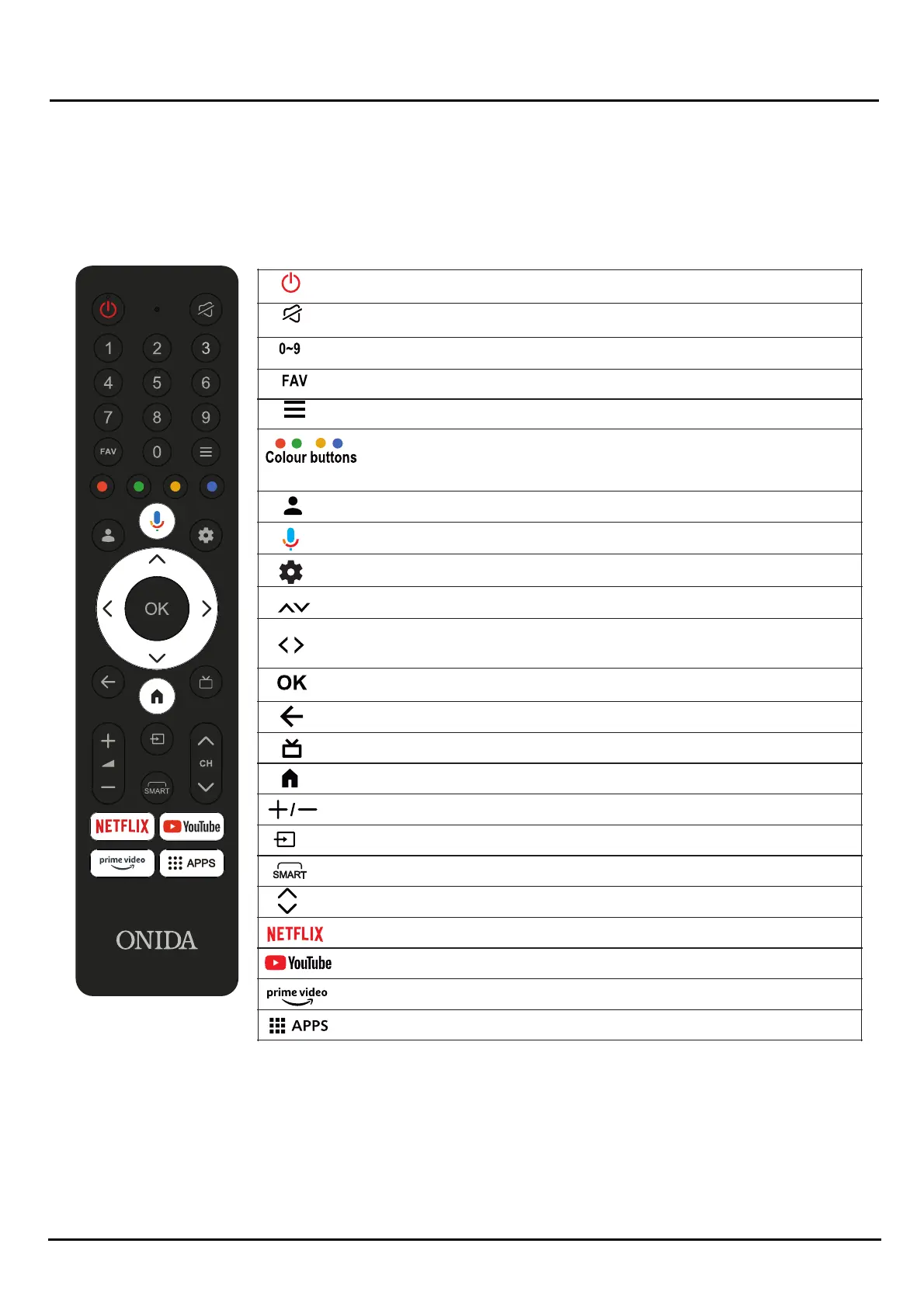
Some buons may not be available for some regions, some models Or some sources.
Chapter 2 Introducon
777
Remote Control Funcons
Most of your television's funcons ae available via the menus that appear on the screen. The remote control supplied with
your set can be used to navigate through the menus and to configure all the general seengs.
Note: Figures and illustraons in this operaon manuale provided for reference only and may differ from actual product
appearance. Certain funcon may not be available for some models, e.g.
Some DTV-related burtons may not be applicable due to non-availability Of DTV signal in some areas.
On'Off buonon) Tums the TV on or off.
(
To mute and un-mute the sound.
Select the digital key number
To enter the Favorite shows
Enter into Quick Access Menu.
Performs mulple operaon which or respond
to the operaon guide dism yed on the menu
screen
Switch profile
Start talking to Google Assistant of the TV.
Enter into using TV System menu.
(up. down. le and rig t dirrecon b ons) Highlights
different items in the menu system and adjusts the
menu controls.
Confirms your selecon.
Exit the menu and return to the previous menu.
open live TV EPG.
TO select the apps
Goes to the prime video homepage.
Goes to the YouTube homepage.
Goes to the NETFLIX homepage.
Channel up / donwn
To SMART interface
To enter source selecon i
terrace
Increase Or Decrease the sound Volume.
Goes to the smart TV homepage


 To Next Page