66
Chapter 2 Introducon
INTRODUCTION:
Thank you on your purchase of "ONIDA GOOGLE TV" . Your TV comes with the latest technology to enhance your TV experience.
WHAT'S IN THE BOX :
1. LED TV 6. Screws for wall mount
2. Remote Control 7. Concrete Plug(x2)
3. Stand Le & Rig t 8. Concrete Screws
4. Screws for Stand 9. Specificaaon p e.
5. Wall mount
Afer Unpacking, please inspect your TV for damage. If you noce
may damage please consult your Dealer Accessories may not be
placed all together. Take care not to throw them away unintenonall.
This product contains possibly dangerous parts (such as plasc bags), that can be breathed in or swallowed by young children
accidentally. Keep these parts out of reach of young children.
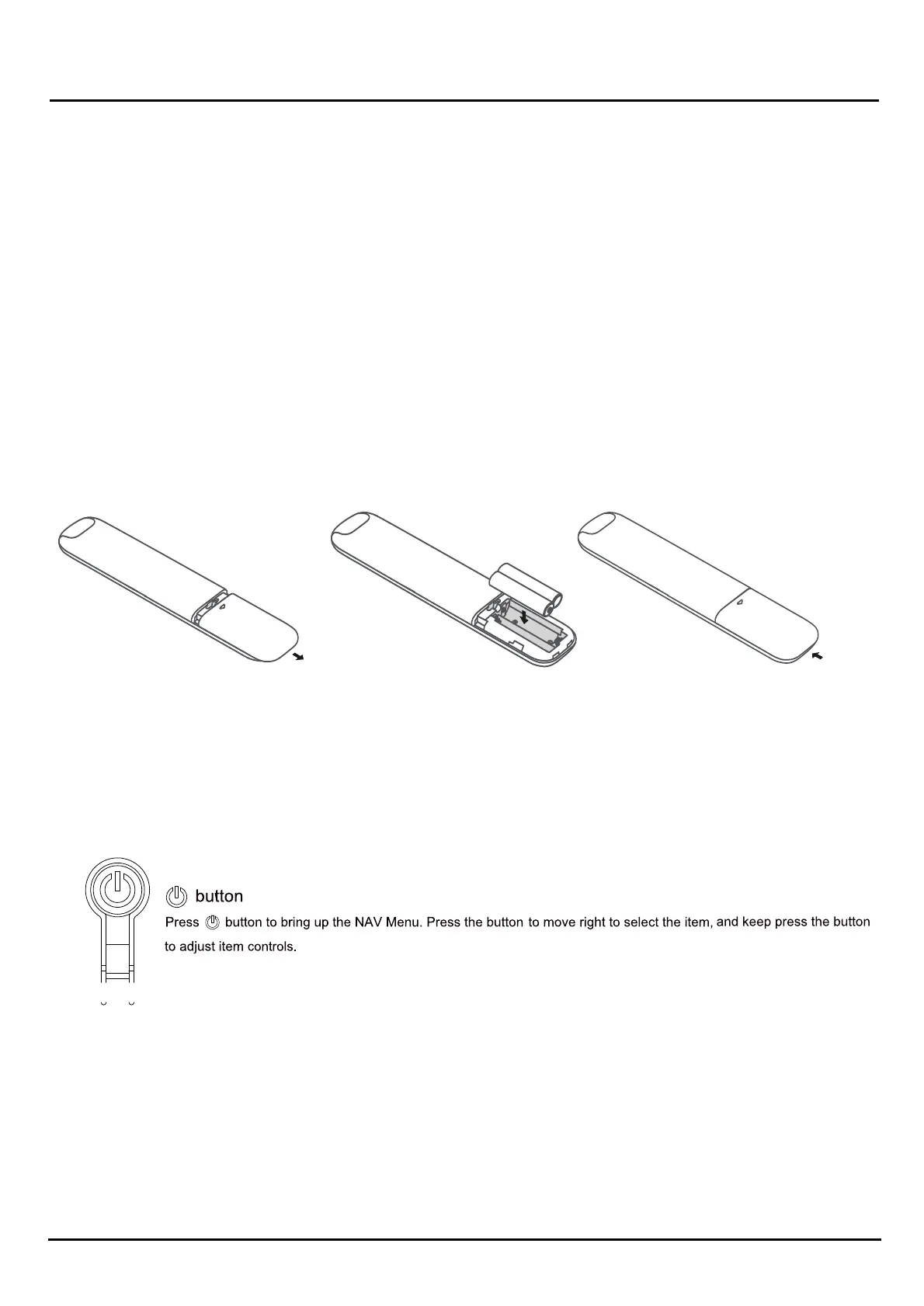
Installing Bateries
1. Push to open the back cover as illustrated.
2. Insert two AAA baeries according to the polaries marked on the baeroes case.
3. Replace the back cover as illustrated.
CAUTION: Risk of fire or explosion if the baaery is replaced by an incorrect type.
*For beter reliability and longevity use "ALKALINE BATTERIES"
* Bateries are not included with this TV set
Buttons on the TV
Note: The locaon and names of the funcon buonons and powpower on on the TV may vary according to TV model.
And some butons may not available for some models.
Remote Control Funcons
Note:
1). The picture is only for reference.
2). Some butons may not be available for some regions, some models Or some sources.
3). Some DTV-related butons may not be applicable due to non-availability Of DTV signal in some areas.


 To Next Page