Chapter 7
How to Operate your Google TV
26
Google Assistant
You can access Google Assistant from the home screen. Google provides some ideas about how you can get the most out of
your Assistant here. You can also access the Google Assistant by pressing the Google Assistant buton on your remote.
Apps
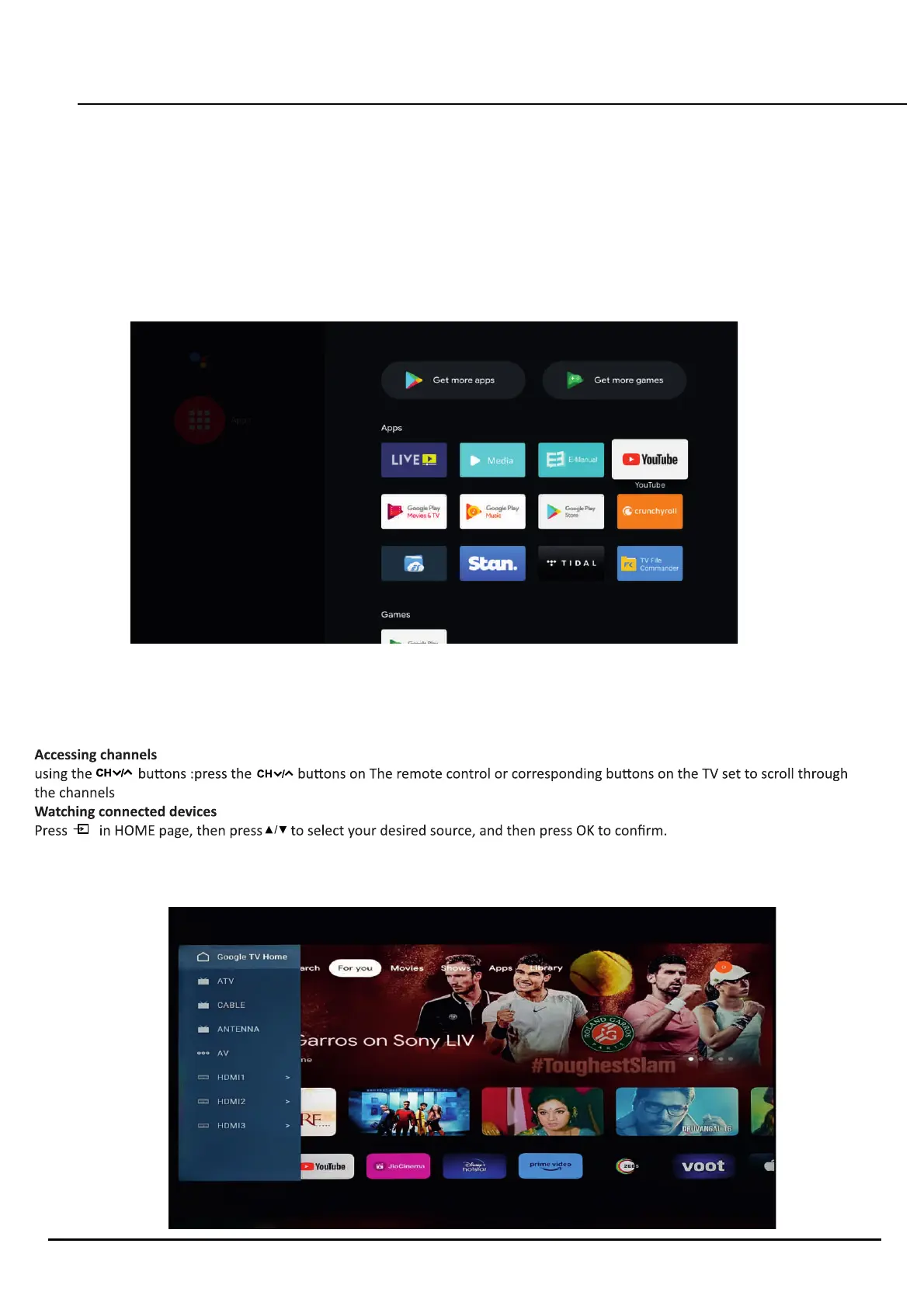
The apps screen shows the current Apps on the device and allows you to download more Apps by using the Google Play store.
Please note:the below photo is an example showing some apps that have been downloaded from the App store, and your device
will not have all of the apps below upon inial settup.
Inputs
The inputs secon povides access to all of the connected accessories and the inbuilt TV tuner. You can also access this menu by
pressing the Source buton on your remote.


 To Next Page