18 Getting to know the OpenScape Desk Phone CP110
Settings and functions
Press the
menu key. You can use the Program/Service menu to access your com-
munication system's extensive functions.
Example:
The menu structure consists of two levels. The first line in this structure shows the
menu currently selected while the remaining lines show the options for this menu. The
arrow next to an entry indicates the availability of additional options for this entry.
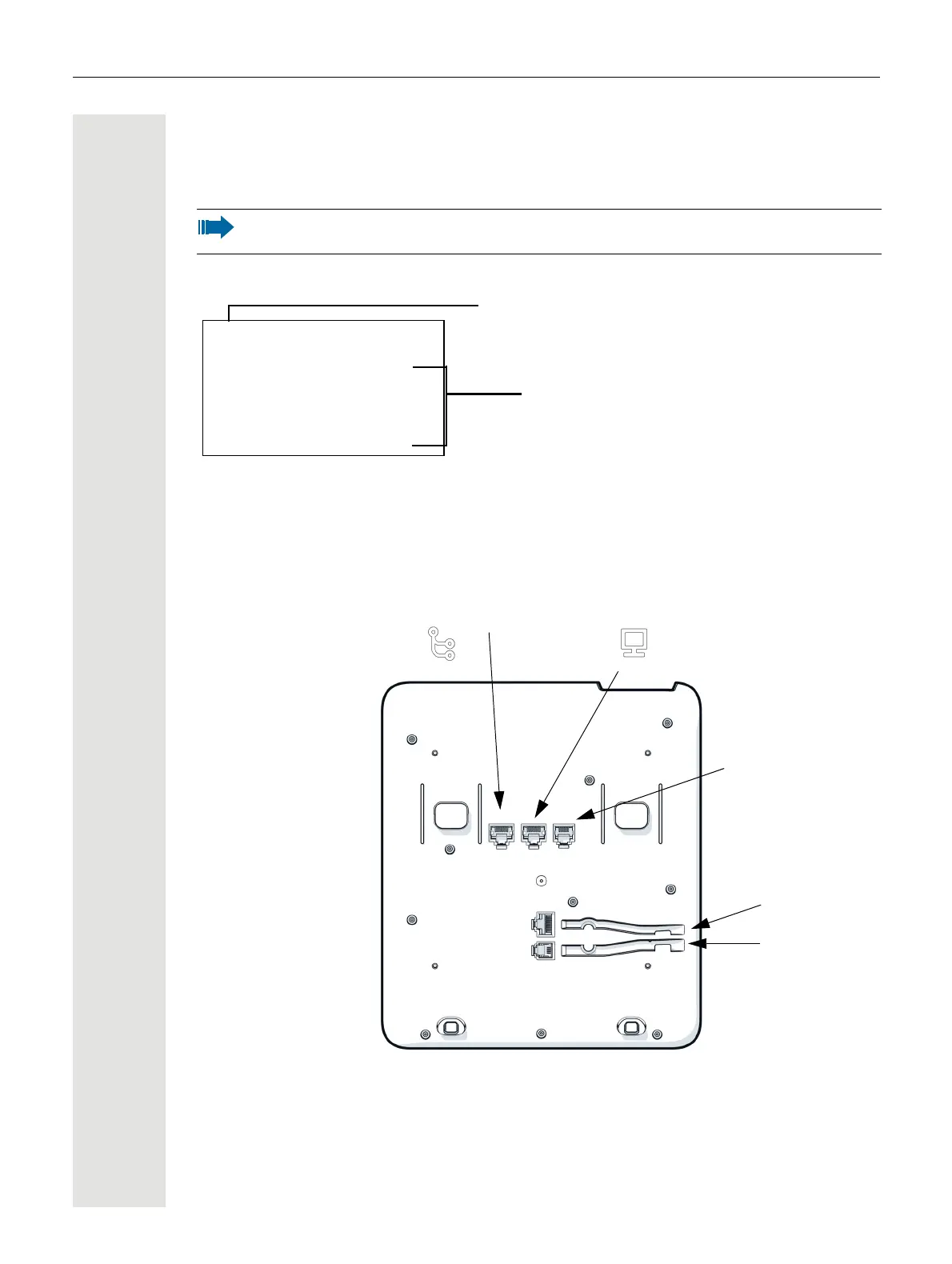
Ports on the underside of the phone
You can also access desired settings or functions in the Program/Service menu
by entering the relevant code, for example *80 or *7
page 103.
Menu title
Further entries are available
Service
*7=Use speed dialing? f
*80=Speaker call? f
#56=Retrieve call? f
*59=Pickup - directed? f
More featuresm
Handset
Power supply
(if required)
Headset
PC
Network Switch



 To Next Page