Pa
ge 25
DX17V GB
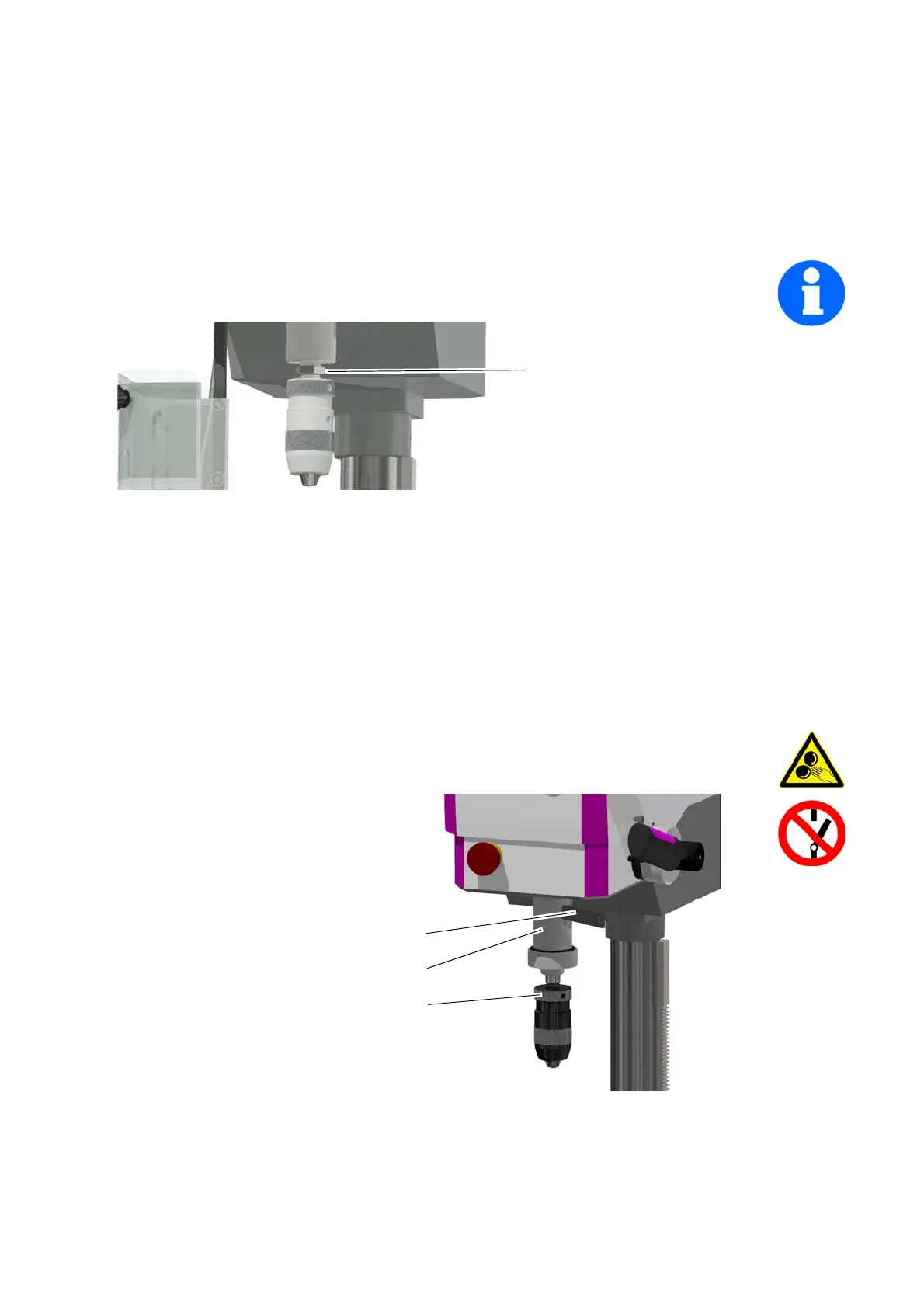
4.3.11 Removing the B16 Drill Chuck from the Spindle Holding Fixture
A friction-locking connector holds and centres the drill chuck in the B16 holding fixture.
Rotate the nut downwards; the drill chuck is pushed out of the chuck cone. If necessary,
exert counter pressure
on the drill chuc
k.
INFORMATION
If the nut is no longer available, you can use, for example, an aluminium wedge or other
appropriate
lever to remove the drill chuck from the sp
indle holding fixture.
Img.4-2: Nut for loosening the connection
Inserting the Drill Chuck
Clean the conical seat on the drill spindle and in the drill chuck. Both cones must be free of
gr
ease and dirt.
Push the drill chuck with a firm push into the B16 holding fixture.
4.3.12 Removing the MT2 Drill Chuck from the Spindle Holding Fixture
The drill chuck and the taper mandrel are loosened from the drill spindle by means of a drill
drift.
WARNING!
Only disassemble the drill chuck if the drilling machine is disconnected from the
electrical supply.
Switch off the drilling
machin
e on the ma
in
switch
or disconnect th
e
main
s plug.
Move the drill sleeve
down.
Turn the drilling spindle
until th
e openings of the
sleeve and of
the drilling
sp
indle are superimposed.
Loosen the taper mandrel
of
the drill chuck with
the
help of a drill
drift.
Img.4-3: Disassembly
Drill drift
Drill sleeve
Drill chuck or drill



 To Next Page