Appendices © Hypercom EMEA Ltd. 2011 77
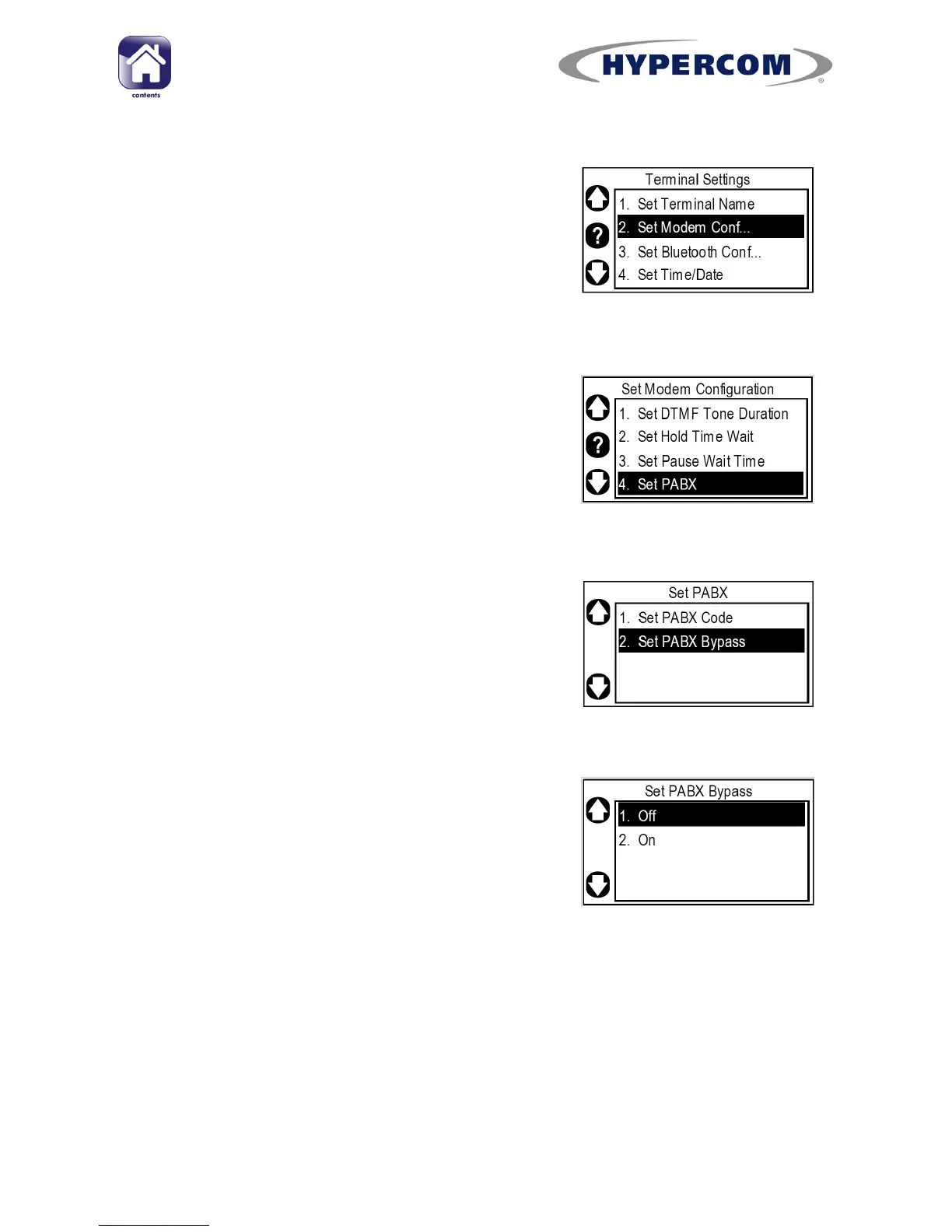
Step 4
Highlight “Set Modem Conf...” and press Enter
on the keypad.
Step 5
Highlight “Set PABX” and press Enter on the
keypad.
PLEASE NOTE: The option number varies
depending on terminal model. Use the left side
Navigation Buttons to scroll down if needed.
Step 6
Highlight “Set PABX Bypass” and press Enter on
the keypad.
Step 7
By default, PABX bypass is set to “On”.
To remove the bypass and activate the 9 prefix
digit, ensure “Off” is highlighted and press
Enter on the keypad.
The screen will return to the “Set PABX” menu.



 To Next Page