Appendices © Hypercom EMEA Ltd. 2011 79
Appendix E: Power settings
Only applicable to M4200
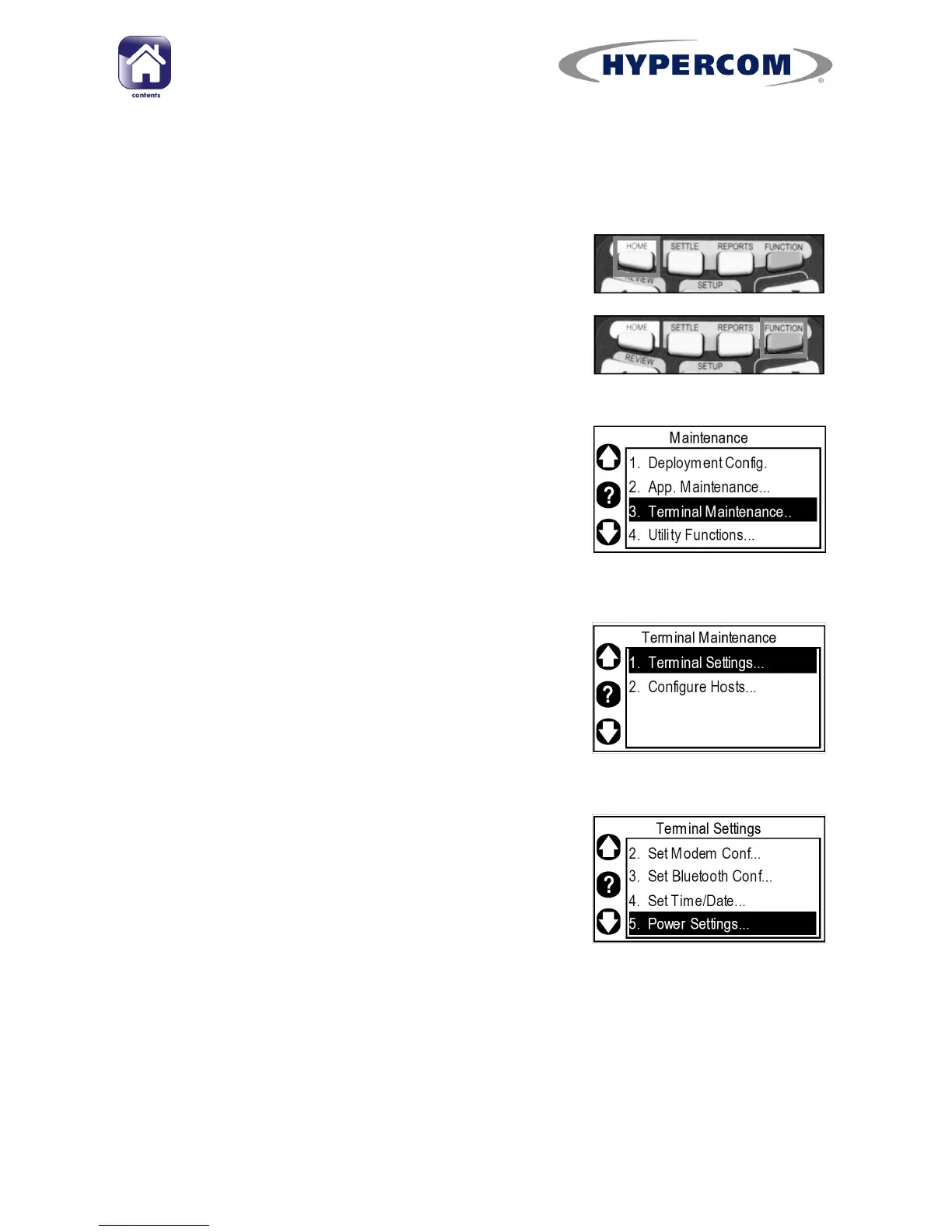
Step 1
If your terminal is showing the idle screen, press
the white HOME button on the keypad to return
to the Desktop.
When the terminal is showing the Desktop, press
the blue FUNCTION button on the keypad to run
the Application Manager.
Step 2
Use the Navigation Buttons to highlight
“Terminal Maintenance..” and press Enter on the
keypad.
Step 3
Highlight “Terminal Settings...” and press Enter
on the keypad.
Step 4
Highlight “Power Settings...” and press Enter on
the keypad.



 To Next Page