80 © Hypercom EMEA Ltd. 2011 Appendices
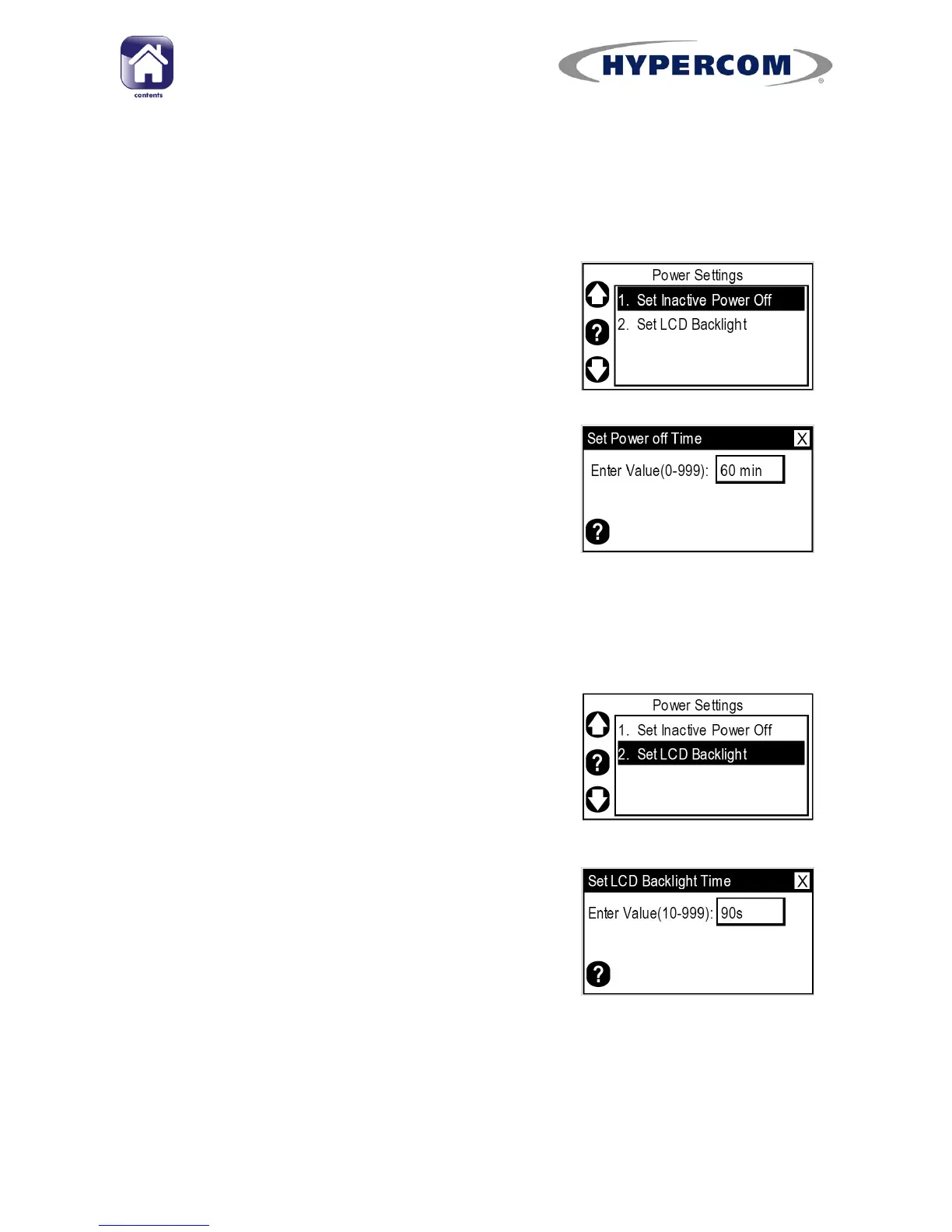
Set Inactive Power Off
This option determines how many minutes of inactivity the terminal waits
before automatically shutting down. The default value is 60 minutes.
Step 1
Highlight “Set Inactive Power Off” and press
Enter on the keypad.
Step 2
Type in the number of minutes desired and
press Enter on the keypad.
The screen will return to the “Power Settings”
menu.
Set LCD Backlight
This option determines how many seconds of inactivity the terminal waits
before the LCD backlight turns off. The default value is 90 seconds.
Step 1
Highlight “Set LCD Backlight” and press Enter
on the keypad.
Step 2
Type in the number of seconds desired and
press Enter on the keypad.
The screen will return to the “Power Settings”
menu.



 To Next Page