Appendices © Hypercom EMEA Ltd. 2011 81
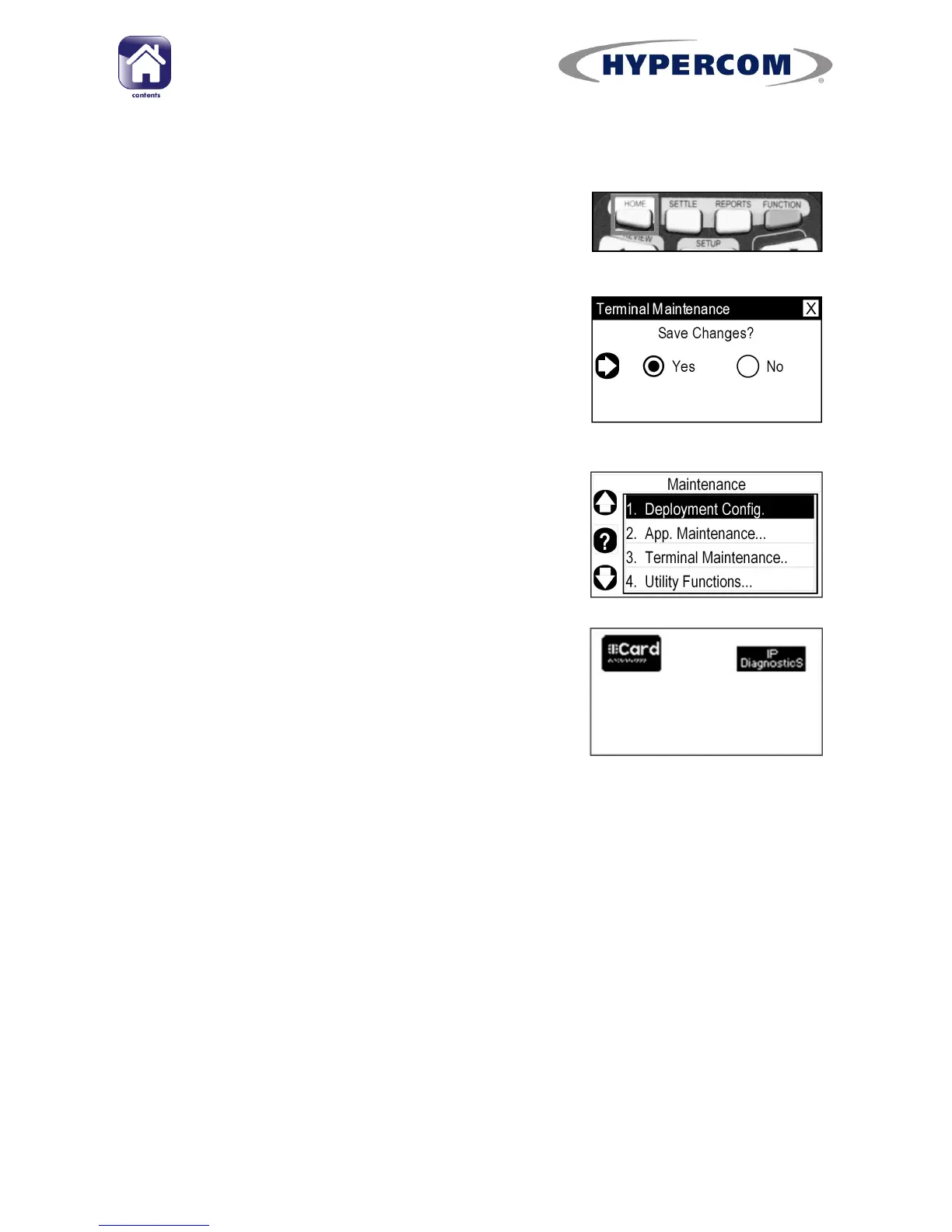
Returning to the Desktop
Step 1
To exit the “Power Settings” menu, press the
white HOME button on the keypad.
Step 2
If any settings were changed, you will be asked
if you want to save changes. Press Enter on the
keypad to select “Yes”.
Step 3
The screen will return to the “Maintenance”
menu. Press Cancel on the keypad to return to
the Desktop.
Step 4
Either: Press the Navigation Button next to the
“Card” icon to return to the idle screen.



 To Next Page