Delta Elec. Inc. HD86
Company Confidential Optoma___________________ Delta________________
24
2009/08/18
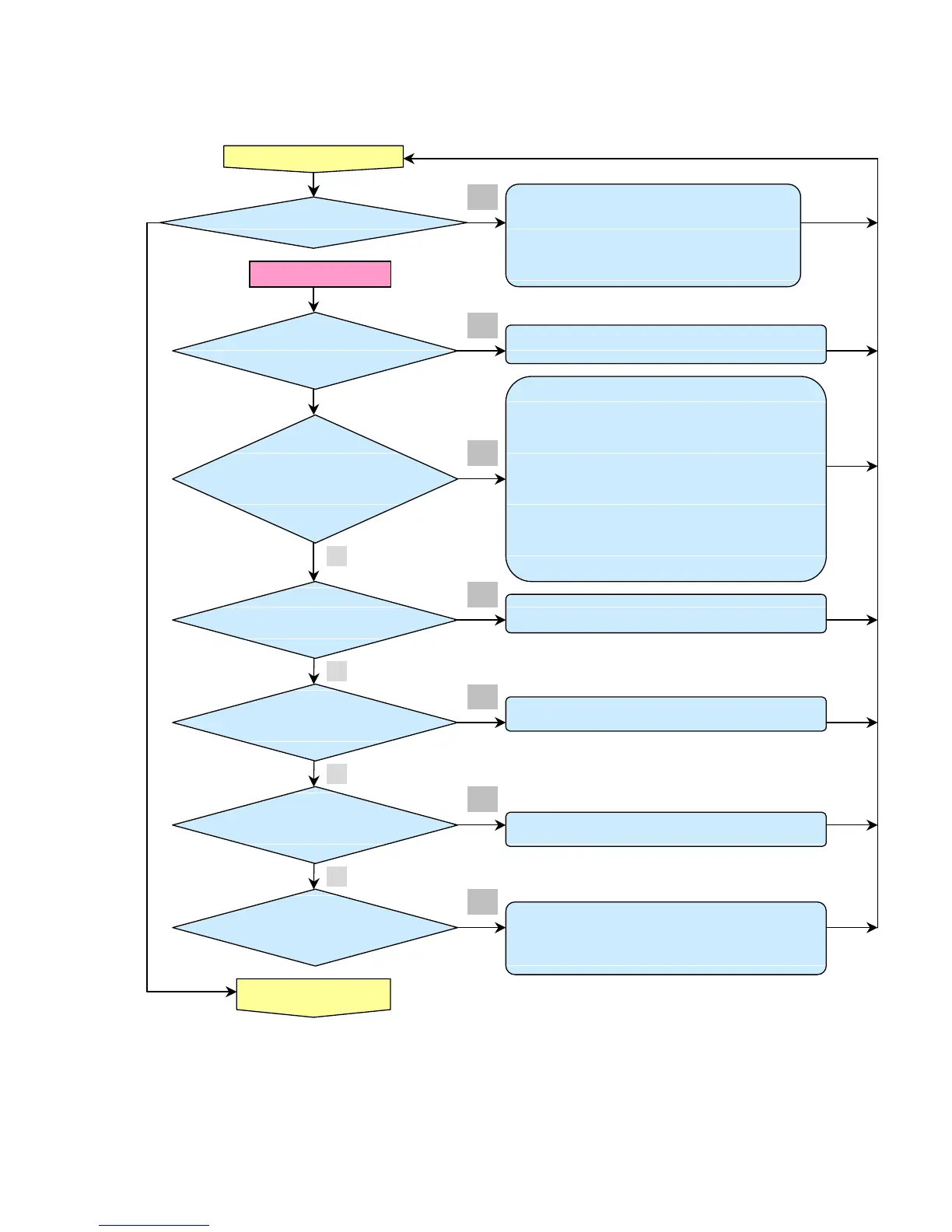
Turn the power ON
<Normal operation Check >
• Check MB BD CN300 connection
• Check MB CN500 to Thermal diode BD CN400 connection
• Main Board or Thermal diode BD Ass’y malfunction
• Power Supply Unit malfunction
Check Power BD CN201 to Format CN900 connection
• Check Format P1 to MB CN550 connection
• Check MB CN111 to IO BD P8 connection
• Check MCU firmware is ok or not .
• Check MB power
PWR RED flashing x6 Lamp : RED flashing x3
• Check MB CN502 to Fan3 connection
• Main Board Fan3 circuit or Fan3 Ass’y malfunction
Fan2 Error
PWR : RED flashing x6 Lamp : RED flashing x2
• Check Format P12 to Fan2 connection
• Format BD Fan2 circuit or Fan2 Ass’y malfunction
Fan1 Error
PWR : RED flashing x6 Lamp : RED flashing x1
• Check MB CN501 to Fan1 connection
• Main Board Fan1 circuit or Fan1 Ass’y malfunction
• Check Format P5 to Index BD CN300 connection
• Format BD or Index board circuit malfunction
• Check Format BD P8 connection
• Index sensor malfunction
• Color Wheel Ass’y malfunction (doesn’t rotate).
• Format circuit malfunction (Color Wheel Ass’y doesn’t rotate)
• Check MB BD CN301 connection
No



 To Next Page